Get set up
The whole thing, start to finish — make an account, add your horses, log your first records, and get your reminders working. About fifteen minutes.
This is the one page to follow if you're new. It walks you from a fresh account to a HorseBook that's actually earning its keep — your horses in, a few records logged, and the morning reminder watching your dates. Give it fifteen minutes and you're set.
You can do all of this on the web or the iPhone app; your account is the same on both, and everything syncs. HorseBook even keeps a little setup checklist on your dashboard that ticks off as you go.
1. Create your account
- 1
Sign up at horsebook.app or download the iPhone app from the App Store. Use email and a password, or Continue with Google / Apple — whichever's easiest.
- 2
On the web, you'll answer a few quick questions about your operation — how many horses, what you're here to keep track of. It just tunes HorseBook to you; there are no wrong answers, and you can skip ahead.
- 3
That's it — you're on the 14-day free trial, full access, no credit card. Billing is a decision for two weeks from now.
2. Add your horses
Start with one to get the feel. Three ways in:
- Quick add — a barn name and sex, done. You can flesh out the profile anytime.
- The full form — name, breed, color, birthdate, markings, sire and dam, if you've got them handy.
- Scan the registration paper — photograph the papers and let HorseBook build the horse from what it reads.
Only barn name and sex are required, and no record is ever locked, so don't sweat getting it all in now. Full details are on Your horses.
3. Log your first records
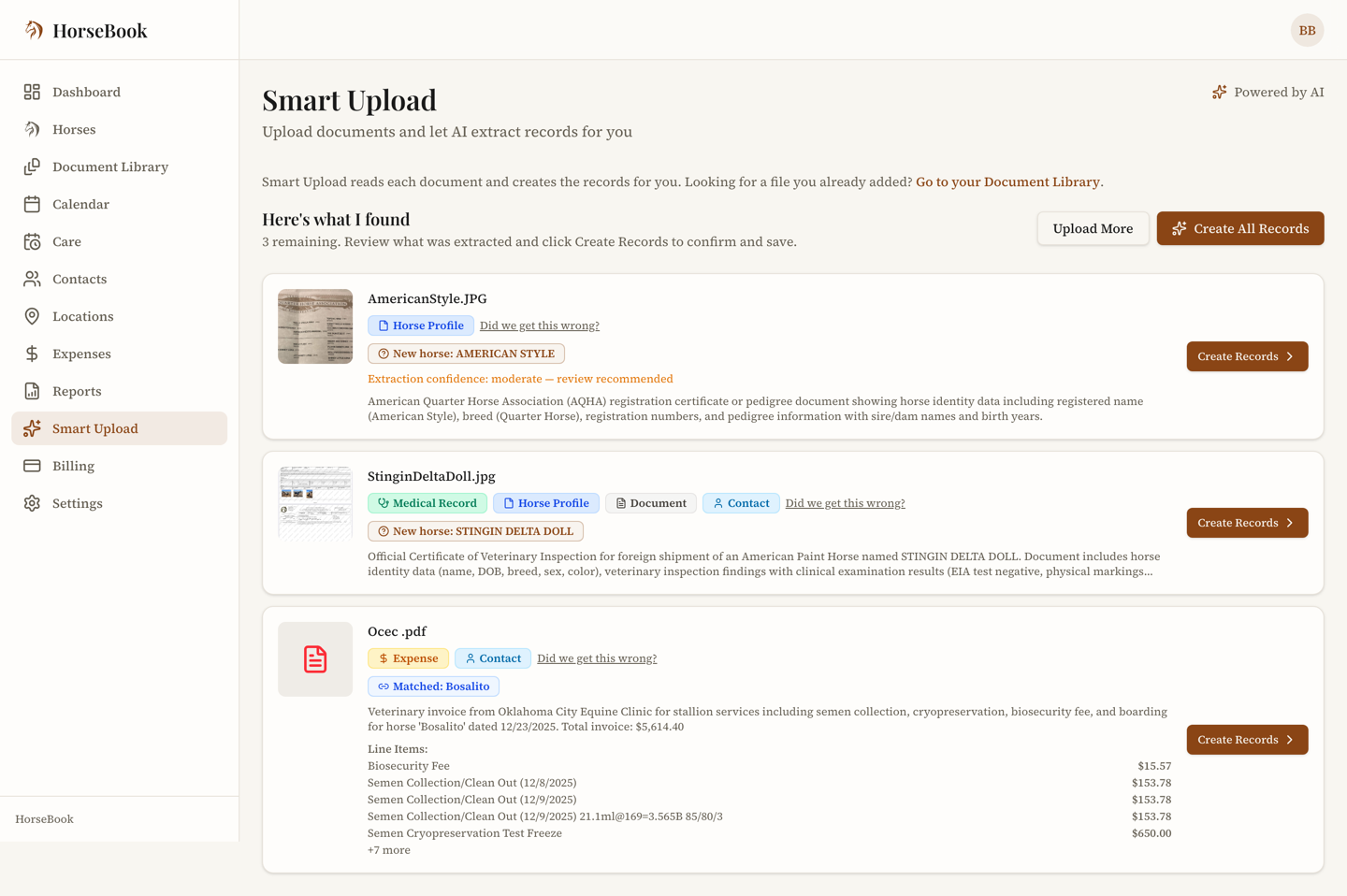
Here's where it stops being an address book and starts being useful. The fastest way to fill a horse out is to scan what's already in the folder:
- 1
Grab a recent Coggins, vet bill, or vaccination record and scan it. HorseBook reads it, fills in the record, and you check it over and confirm.
- 2
Or just say what you did: type one sentence — "wormed everybody this morning" — and HorseBook files a record on each horse it names, after you confirm. See Say what you did.
- 3
Toss in an expense while you're at it — snap a feed or farrier receipt, or type one in. See Expenses.
- 4
If you ride, log a session — it takes about twenty seconds. See Riding & training logs.
Scanning a Coggins does something nice automatically: it sets the expiration a year out, which feeds the next step.
4. Get your reminders working
This is the payoff — the reason to bother keeping records in the first place.
- 1
Those records you just logged already carry their dates. A Coggins expires in a year, a vaccine has its next-due date, a health certificate has its short window — HorseBook is already watching all of them.
- 2
Set up a care plan for a recurring chore — the farrier, deworming — and put your horses on it. One schedule, one reminder, one "done" when the visit happens. See Never miss a date.
- 3
Make sure you'll actually see the reminder: the morning summary arrives by email, and on iPhone you can get it as a notification. It's one message a day, only on the days something's due.
Once that's flowing, HorseBook is doing its real job — carrying the mental load of everyone's Coggins and shots so you don't have to.
What next
You're set up. From here, dig into whatever fits your barn: