Breeding season — mare side
Track a mare from heat cycles through breeding, pregnancy checks, foaling, and progeny — all on one connected timeline.
For a broodmare, HorseBook follows the whole season on her profile: heat cycles, the breeding itself, pregnancy checks, the foaling, and the foal that results. Each cover flows into a pregnancy and then a foaling, drawn as one connected timeline, so a mare's reproductive history reads top to bottom instead of scattered across separate lists.
Open a mare and go to her Breeding tab to find all of it. (Geldings don't get breeding tools, and stallions get the stallion side instead.)
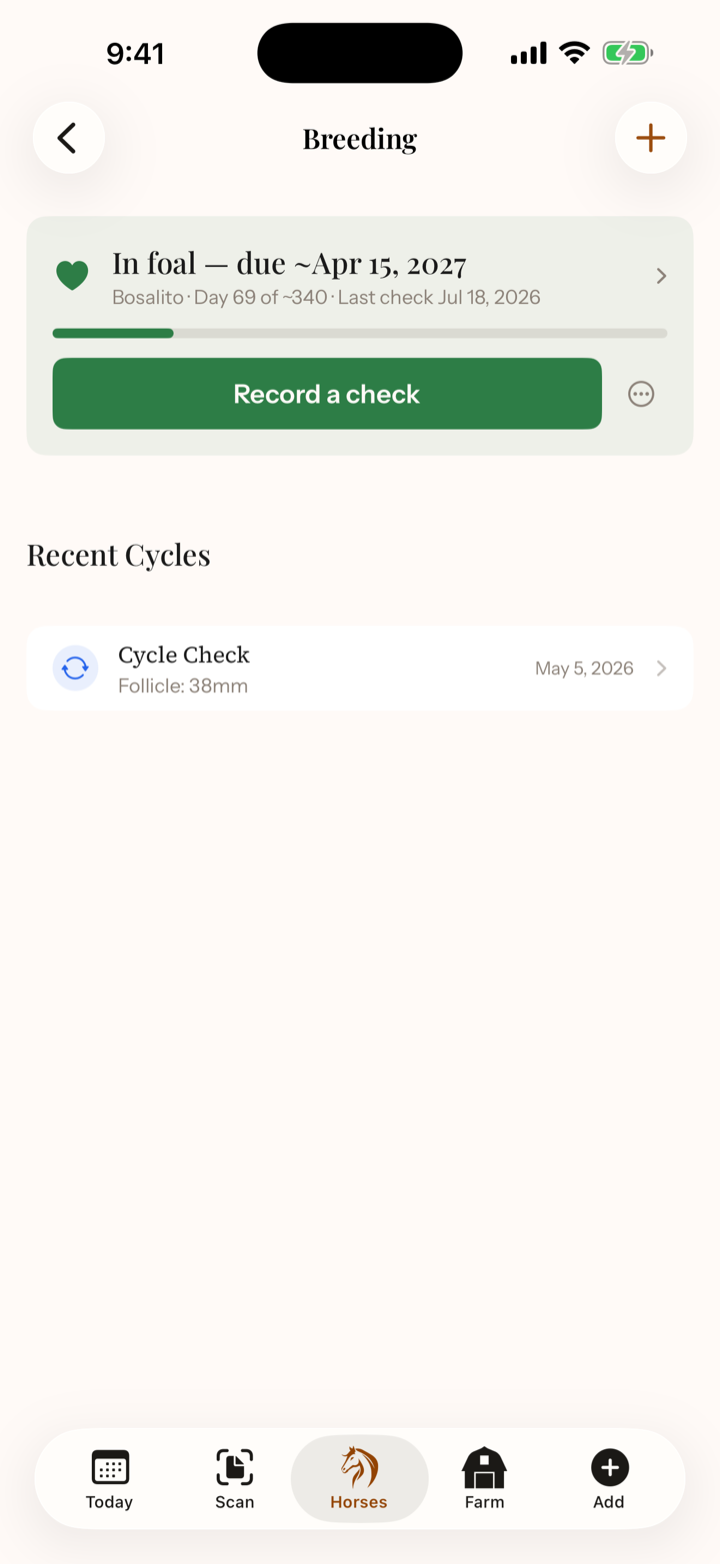
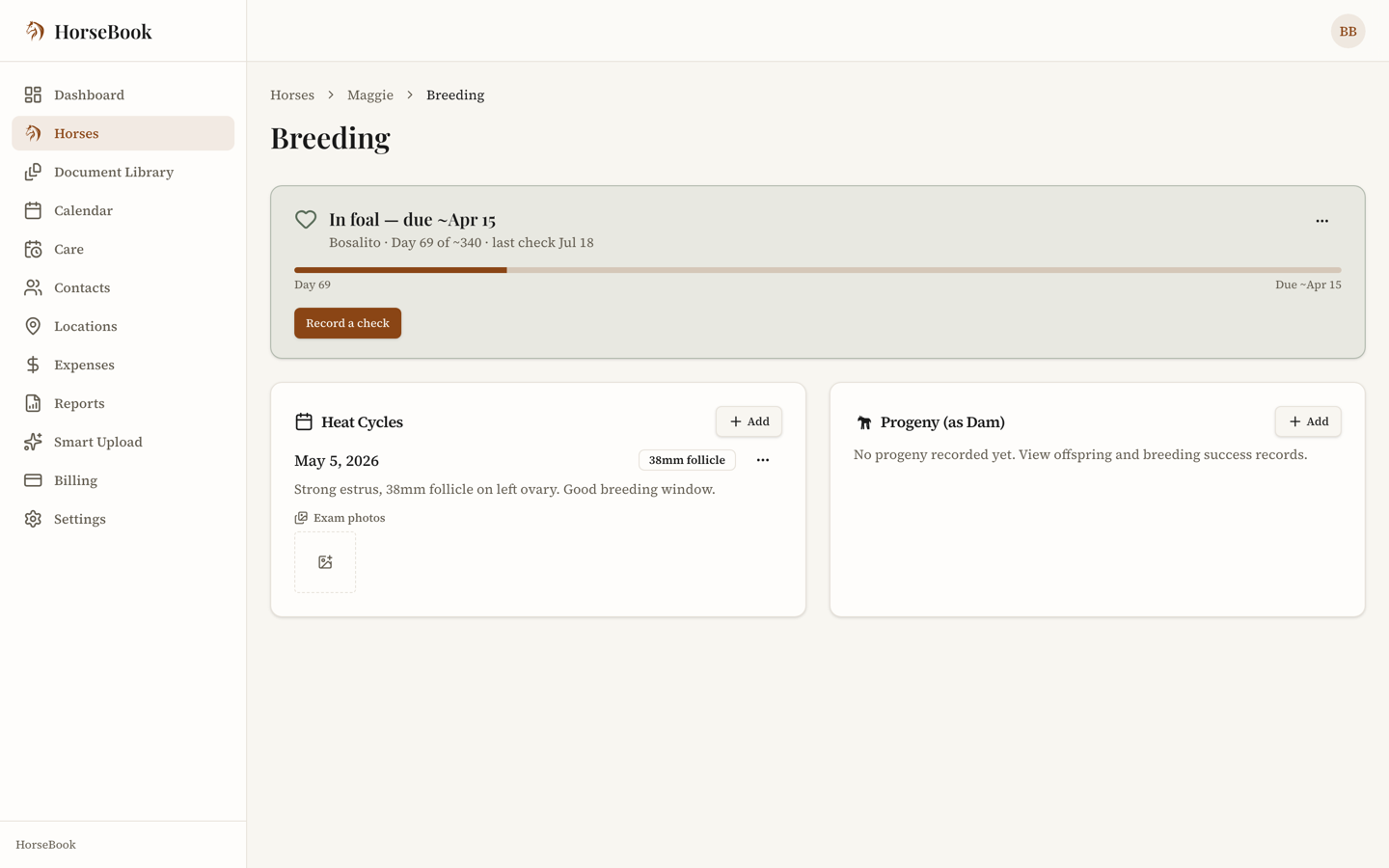
Heat cycles
Record a heat cycle each time you track her — dates, and the details your vet gives you like follicle size, uterine edema, ultrasound and palpation notes. It's the running record you look back on when you're deciding when to breed.
Recording a cover
When she's covered or bred, record the cover with the method:
- Live cover — by hand or at pasture
- Artificial insemination — fresh, cooled, or frozen semen
- Embryo transfer
- ICSI
You can note the stallion, the date, and — for AI — the semen's shipping condition. That cover date is what everything downstream counts from.
Pregnancy and checks
Once she's confirmed in foal, a pregnancy status card rides at the top of her Breeding tab — where she is, how long along, and the due window counting down. Record each pregnancy check your vet does with its result — positive, negative, or recheck — and how many days along she was. HorseBook tracks the checks so you can see the pregnancy hold across the season.
If a mare loses a pregnancy, you can mark it, and the record reflects it honestly rather than pretending the season's still on.
When a check comes back positive, HorseBook offers to set up a shot series for her. You name each step and say how many days after the cover it falls; HorseBook does the arithmetic from her own cover date and puts each one on your calendar and in your morning digest. It suggests nothing — the first time through, the steps and the days are blank, and after that it offers back whatever you used last so you're not retyping a schedule you already know. Change her cover or record a later one and the remaining steps move with it. Mark a step done — on her page, or straight from the reminder on your Today list — and it logs a vaccination record on that mare and takes the reminder off. Dismiss one and it stops asking, without recording anything. A step whose day has already gone by when you set the series up is still written down so you can tick it off, but it won't put a reminder on your calendar. On the Broodmare Board, one action sets the same series up for every mare in foal who doesn't have one yet — each still counted from her own cover, and it tells you how many of the steps are already behind her.
Ask your vet what belongs in the series and when. HorseBook stores what you're told; it doesn't have an opinion about it.
How the foaling window works
A horse pregnancy runs about eleven months, and no foal reads a calendar. HorseBook builds a window — a date range, never a single due date — off the cover date, and shows it on the pregnancy status card and on the Broodmare Board, which also says how far off the window is. If she was covered more than once in the same heat, the window counts from the last cover of that cycle, the way your vet dates it. If a check comes back negative and she's covered again, the window counts from the new cover after that negative check; if the negative stands, she has no window at all. It's a planning aid, not a prediction; your vet's read is the one that counts.
Foaling
When she foals, record it: the date, the foal's sex (colt or filly), presentation (normal, or the ones you hope not to see — breech, dystocia, red bag), and the early-care details you and your vet track, like IgG. Recording the foaling closes out the foaling window on your calendar.
Her seasons
Under the status card, her Seasons card lays out her history one breeding year at a time: each cover, each pregnancy check, and how that season ended — the foaling and the foal, a loss, or checked open. A foal is one line, with links to her own page (once she's a horse in HorseBook), her produce record, and the pregnancy behind her. The newest three seasons show first, and Show earlier seasons brings back the rest.
The caption at the top sums her up — for example, 6 seasons · 5 foals · carried 338 days on average (330–345): how many seasons and live foals she has on record, and the average, shortest, and longest she has actually carried. Some mares run long, some run early, and a few land within a day or two of the same mark every year. After a season or two, the caption tells you what this mare does, so foal watch can start on her time instead of the textbook's. It reads from the covers and foalings you've already recorded — there's nothing extra to fill in.
To add a foal from before she was in HorseBook, use Log a past foal on the Seasons card. If all you know is the foal's name and year, choose Just add a foal's name (no dates) inside it.
The Broodmare Board
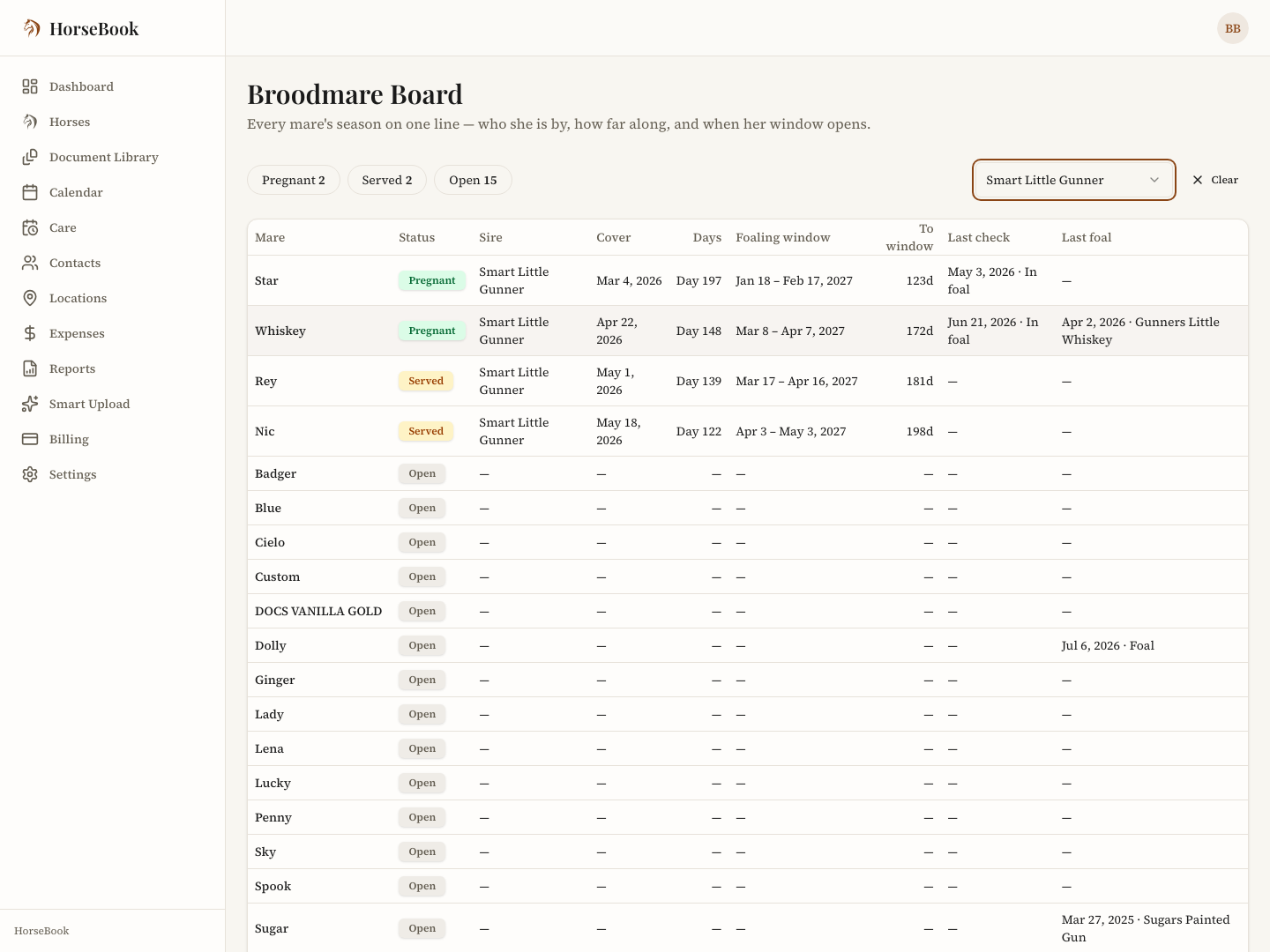
One mare's page tells you about one mare. The Broodmare Board tells you where the whole band stands: every mare on a row, marked Pregnant (a positive check on record), Served (covered, not confirmed yet), or Open (no current pregnancy), with her stallion, cover date, days since cover, foaling window, how far off that window is, and her last check and last foal.
- The three statuses across the top are counts — tap one to see just that group. A stallion filter narrows it to the mares covered by one horse; Clear brings the whole band back.
- Tap a row to open that mare's Breeding page.
- There's nothing to fill in. The board reads the covers, checks, and foalings you've already recorded, so recording a check on her page updates her row the same moment.
Where it is: on iPhone, the Farm tab → Breeding (a grid button on any mare's Breeding page opens it too). On the web, the Broodmare Board button in the header of any mare's Breeding page.
Progeny
The foal can become its own horse in HorseBook, linked back to the dam (and sire) so the family tree connects. From there it's a full profile like any other — its own records, photos, and someday its own breeding history.
Both web and iPhone
The full mare workflow — cycles, breeding, pregnancy, foaling, progeny — is on the web dashboard and the iPhone app, and it syncs. Record a pregnancy check from the barn aisle; it's on the web that evening.