Your horses
Build a profile for each horse — identity, photos, health records, documents — and handle the ones that sell, leave, or pass on.
Every horse in HorseBook gets a profile, and that profile is where its whole story lives: who it is, what it looks like, its health history, its papers, its rides, its breeding. This page covers building and running those profiles. Scanning documents onto them is covered in Scan your paperwork, and breeding has its own mare and stallion pages.
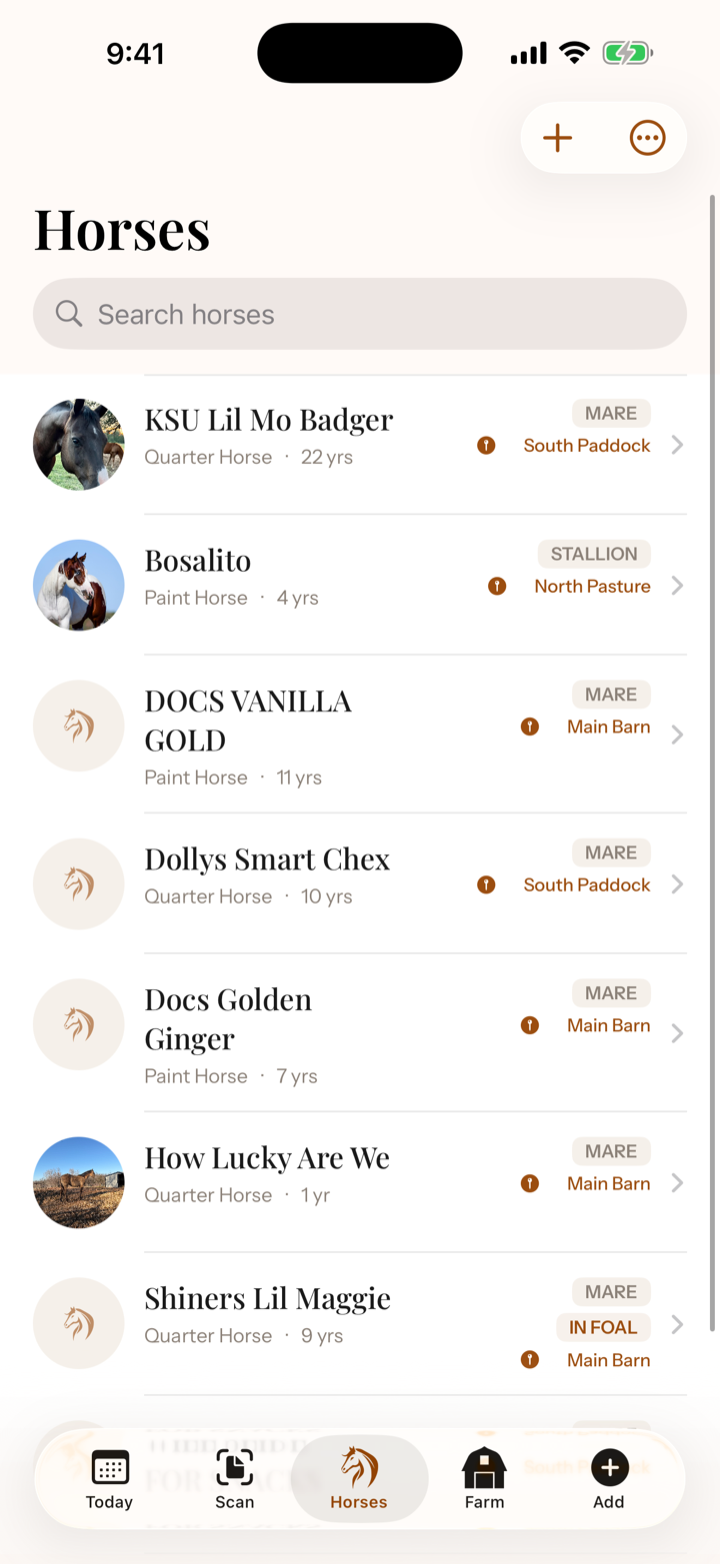
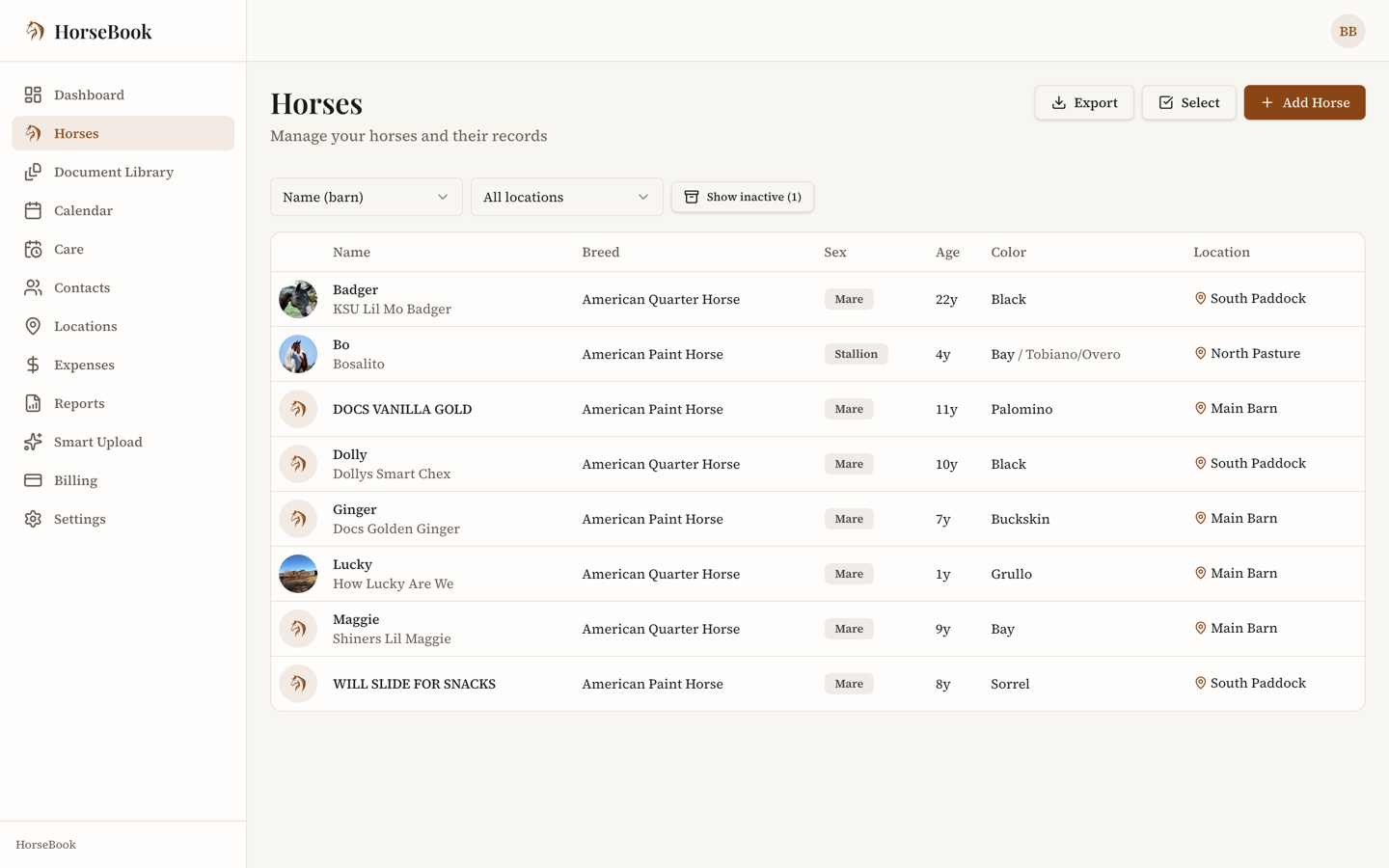
Adding a horse
You've got three ways in, fastest first:
- Quick add — just a barn name and sex, and you've got a horse. Fill in the rest whenever. Nothing's ever locked.
- The full form — enter everything up front: registered name, breed, color, date of birth, markings, sire and dam, height, weight.
- Scan a registration paper — photograph the papers and let HorseBook create the horse from what it reads. See Scan your paperwork.
Only barn name and sex are required. Sex is stallion, mare, or gelding — it decides which breeding tools the horse gets.
What's on a profile
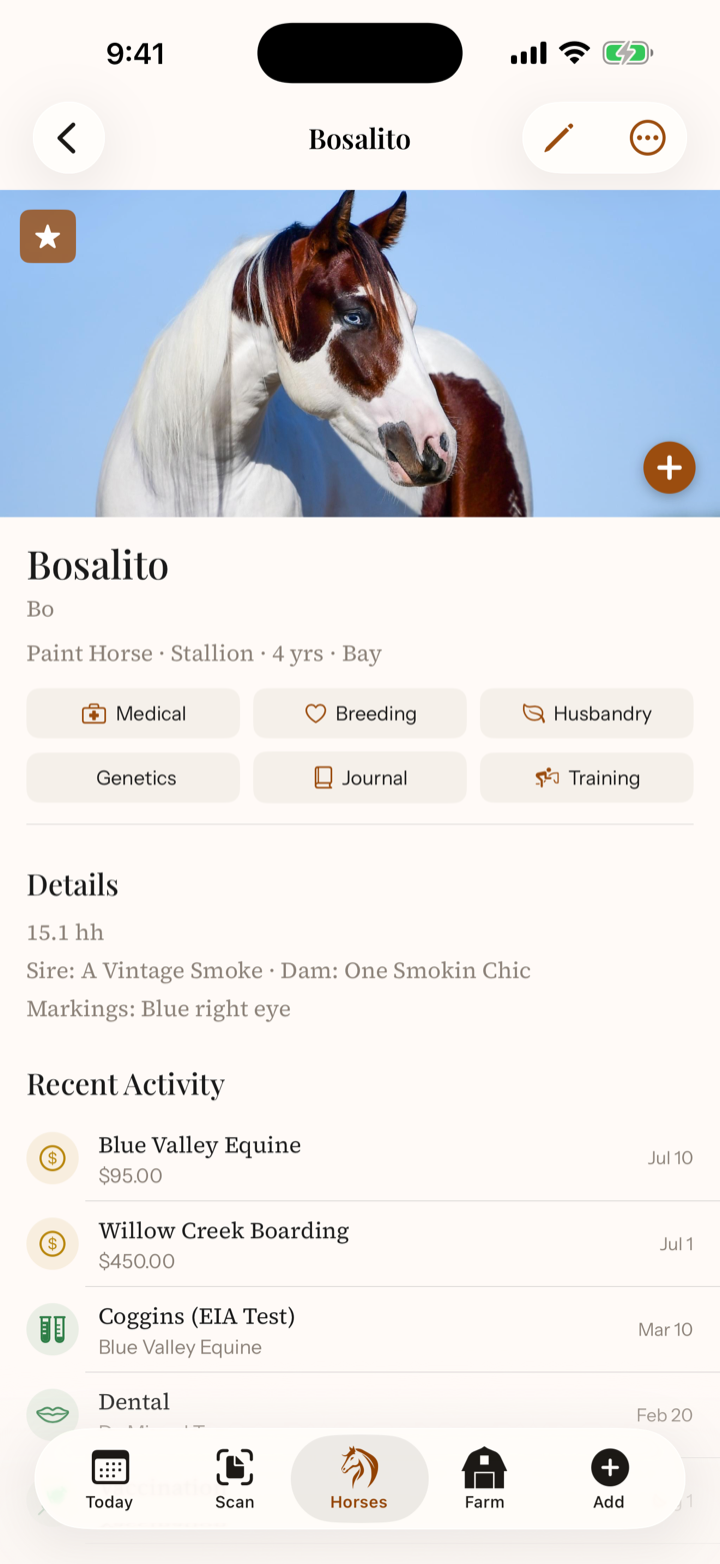
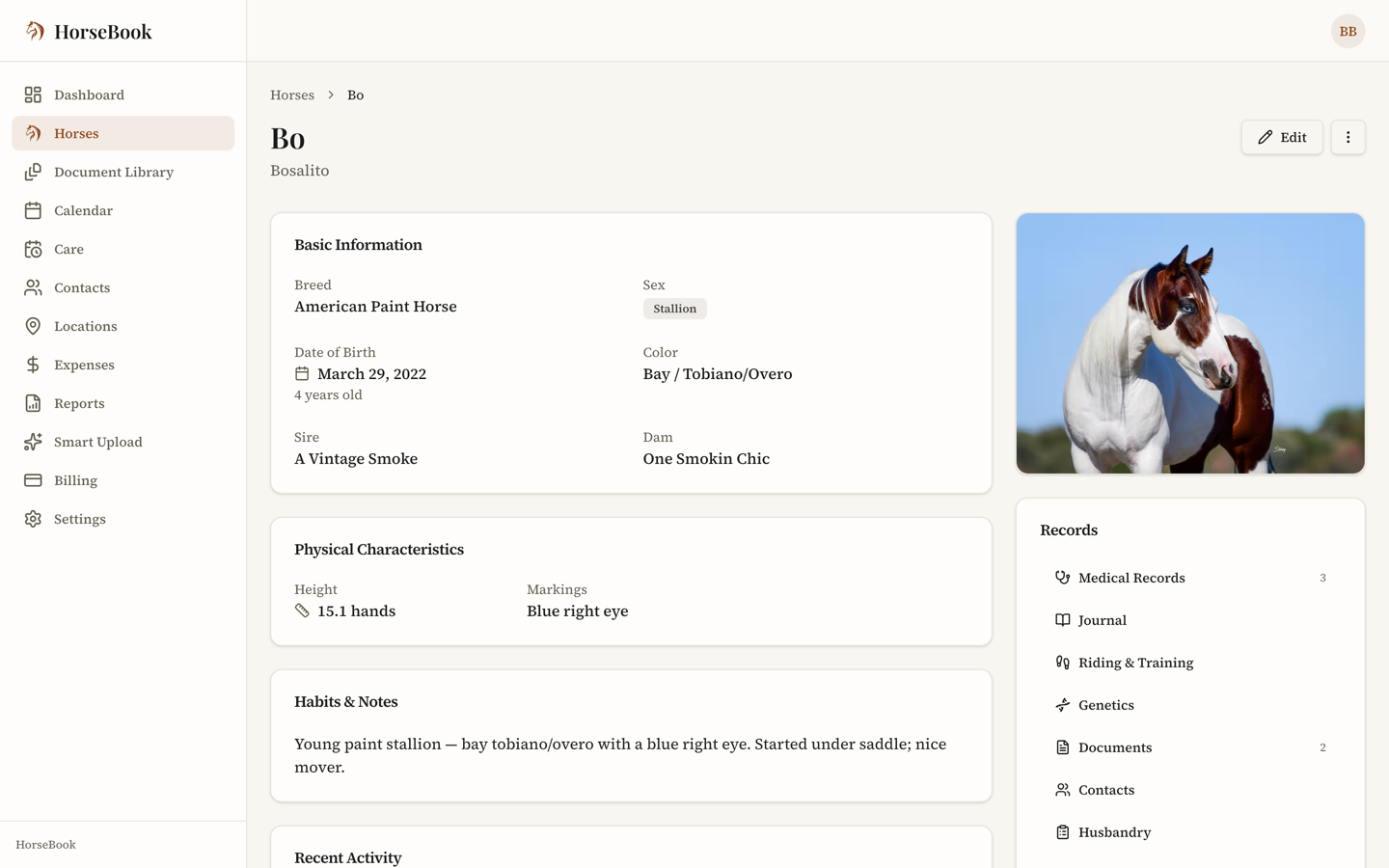
- Identity — barn and registered name, sex, breed, color, date of birth, markings, and lineage. Link the sire and dam to other horses in your barn and HorseBook connects the family.
- Photos — upload as many as you like; the first becomes the profile picture. Set a focal point so the horse's face stays centered wherever the photo gets cropped to a thumbnail.
- Health records — the horse's medical history (see below).
- Documents — Coggins, registration, insurance, whatever you've scanned or uploaded, filed on the horse.
- Husbandry / care sheet — feed, supplements, allergies, and habits, so a sitter or new barn manager has what they need.
- Riding & training, breeding, genetics, journal — each has its own tab; see their pages.
Health records
A horse's medical history lives right on its profile — logged by hand or dropped in by a scan. Records cover the routine and the specialized: vaccines, deworming, dental, farrier, Coggins, chiropractic, injections and maintenance work, and specialty treatments like PEMF, laser, and saltwater spa. Each carries a date, provider, cost, notes, and — where it applies — an expiration that feeds your reminders.
Separate from routine care, you can log health issues — colic, injury, lameness, illness — with symptoms, treatment, and how it resolved, so the timeline of a soundness problem is all in one place.
Medications get their own card on the profile: the name, route, dose, frequency, start and end dates, who prescribed it, and a withdrawal period in days (from the label or your vet — HorseBook doesn't supply it). HorseBook counts the withdrawal from the end of the course and shows an In withdrawal until badge on the horse until that date passes. Vitals have a card too — temperature, heart rate, respiration, gums, gut sounds by quadrant, digital pulse, skin tent — so a horse's normal is on record before the day you need it. Both can also be logged by saying what you did.
Next to Medications, Usual doses is a quick-reference sheet of what your vet has told you this horse gets: the name, amount and unit, route, whether it's given as needed or on a schedule, the dose basis your vet gave (kept exactly as you type it), who it's from, and when you last reviewed it together. It's a reference for what your vet already told you — in an emergency, call your vet first. HorseBook stores what you enter — it doesn't calculate, suggest or check amounts. When you actually give one, tap Log a dose: the medication form opens already filled in, dated today, so the dose lands in the horse's medication history. Add the withdrawal your vet gave you there and the In withdrawal until badge works the same as for any other medication. Copy to… puts the entry on another horse's sheet, leaving off who it's from, the review date and any notes, since those were for the first horse — check the amount with your vet for that horse. Any entry without a review date reads Not reviewed with your vet for this horse yet.
Sharing a horse's papers
Someone at the show office, a hauler, or a buyer needs to see a horse's paperwork, and they don't have HorseBook. Open the horse, choose Share Papers, tick what they should see — registration papers, Coggins, health certificates, vaccinations and deworming, or anything filed under Other — and copy the link. Anyone who opens it sees the horse's identity (name, breed, sex, age, color, markings, height, microchip, sire and dam) plus whatever you ticked, and can open each document. They see nothing else: your expenses, sales, breeding history, contacts and notes never appear on that page. Change the ticks any time to change what the same link shows, or Revoke link to switch it off — it stops working right away.
When a horse leaves the barn
Horses come and go. HorseBook keeps their records without cluttering your active list:
- Archive a horse when it sells or leaves for good — mark it sold or other. Archiving takes it off your active herd, cancels its upcoming reminders and takes it out of any care plans. Its records all stay, and you can un-archive it later — that brings the horse back, but not those reminders or care plans.
- Lease a horse you own out with Start a lease on its Ownership card. A leased-out horse stays in your herd, and its reminders keep running. Choosing Leased out as an archive reason doesn't archive it either — it takes you to the lease form.
- Memorialize a horse that's passed — mark it deceased, with a date if you want. It stays in the record and in any family trees, and its reminders stop.
Your horse list shows the active herd by default; archived and memorialized horses are a toggle away.
Pro features
Archiving, marking horses as outside or boarding (with their owner as a linked contact), farm locations, and herd/per-horse PDF reports are part of the Pro plan. Marking a horse deceased is on every plan. All of it is open during your 14-day trial. See Billing & plans.
Merging duplicates
Scanned the same horse twice, or added one by hand that already existed? Merge them: pick which record to keep, review the fields, and confirm. All the records and photos combine onto the one you keep. Merging can't be undone, so give it a look first.
Both web and iPhone
Horse profiles, photos, health records, and documents are on the web dashboard and the iPhone app, and they sync. Add a horse at the barn on your phone; it's on the web when you get back to the office.