Expenses
Track what your horses actually cost — log it by hand or snap a receipt and let HorseBook fill in the amount, vendor, and category.
Horses cost money in a hundred small ways, and by tax time nobody remembers what the spring vet visit ran. HorseBook lets you log expenses against a specific horse or the whole farm, tag them by category, and — the part that saves the most time — turn a photo of a receipt into an expense with the amount and vendor already filled in.
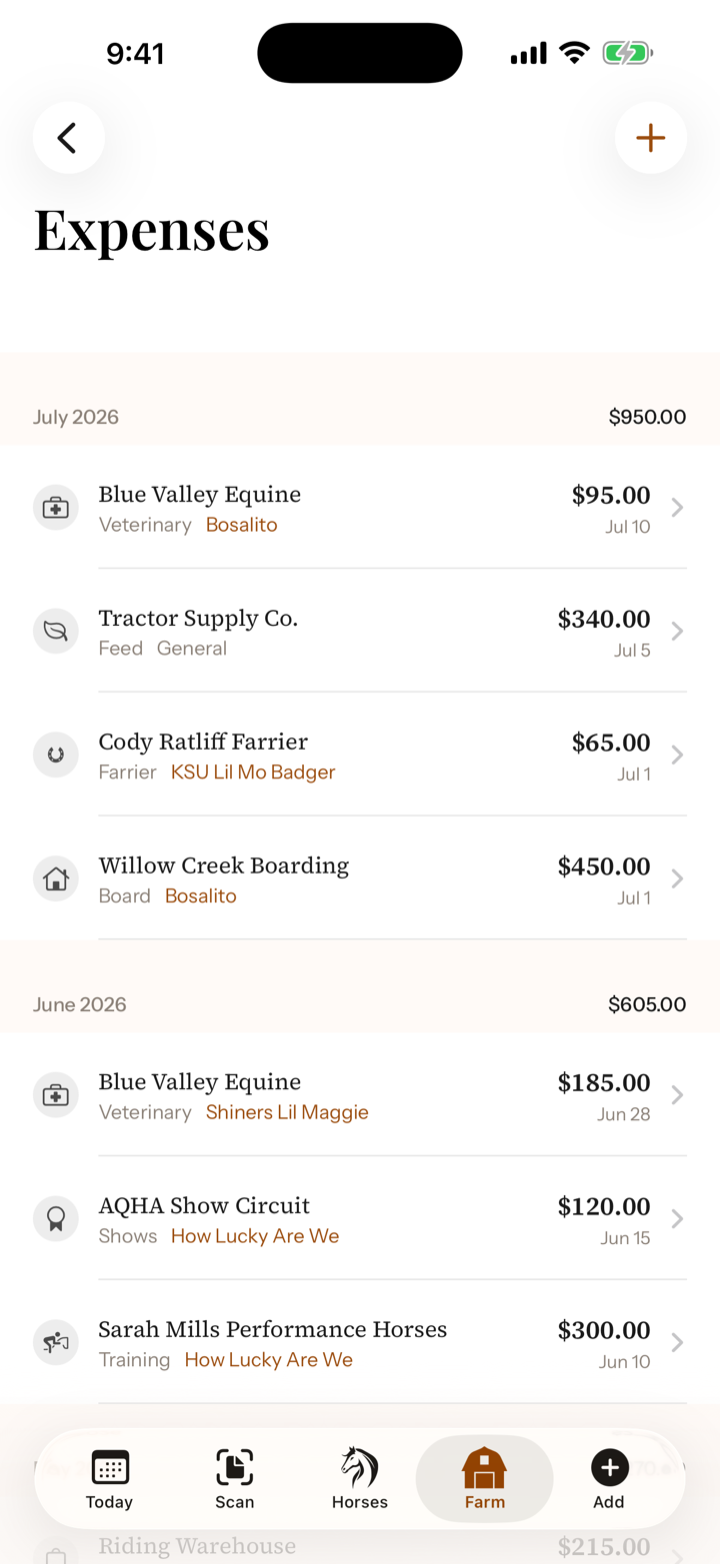
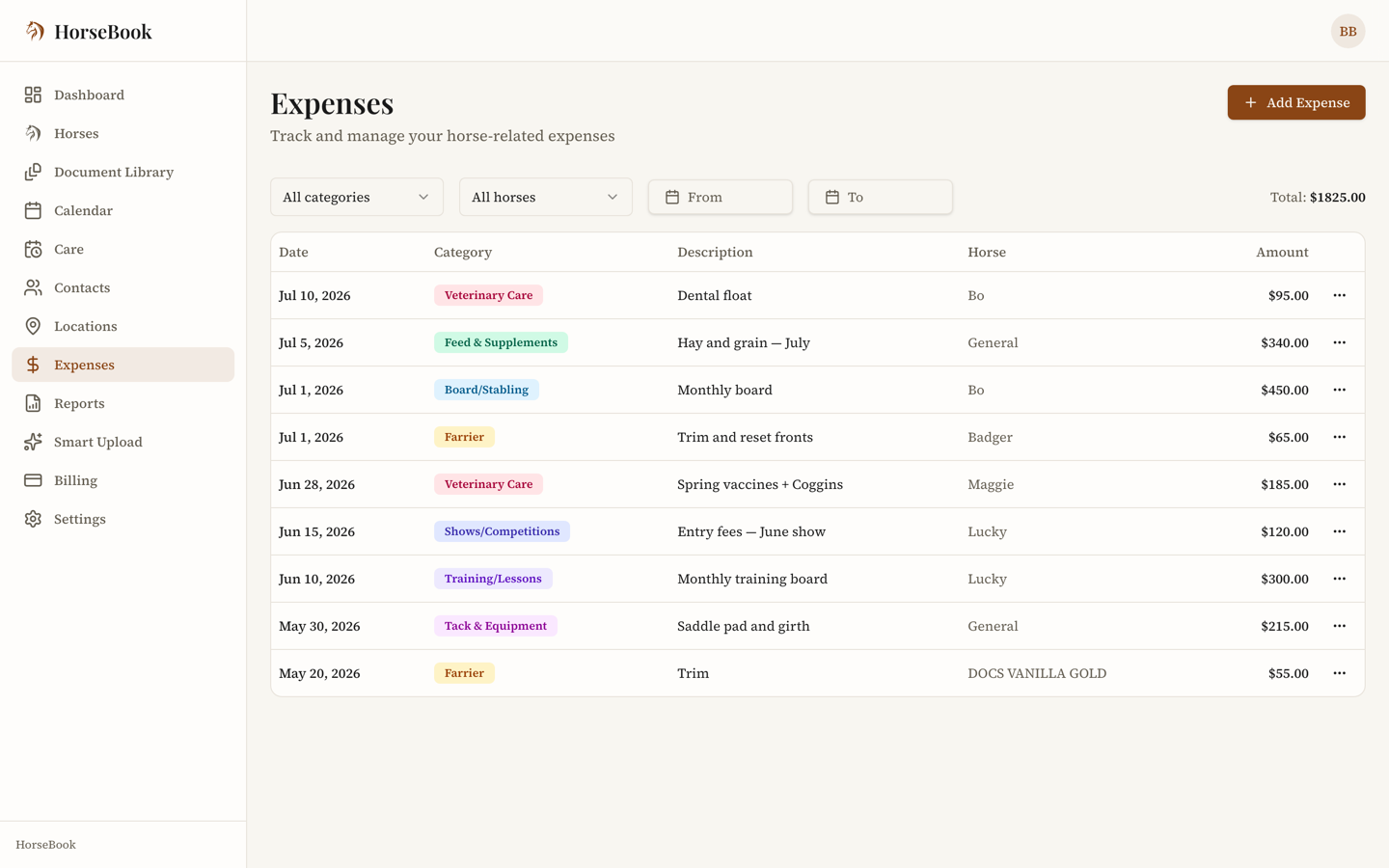
Two ways to add an expense
Snap the receipt
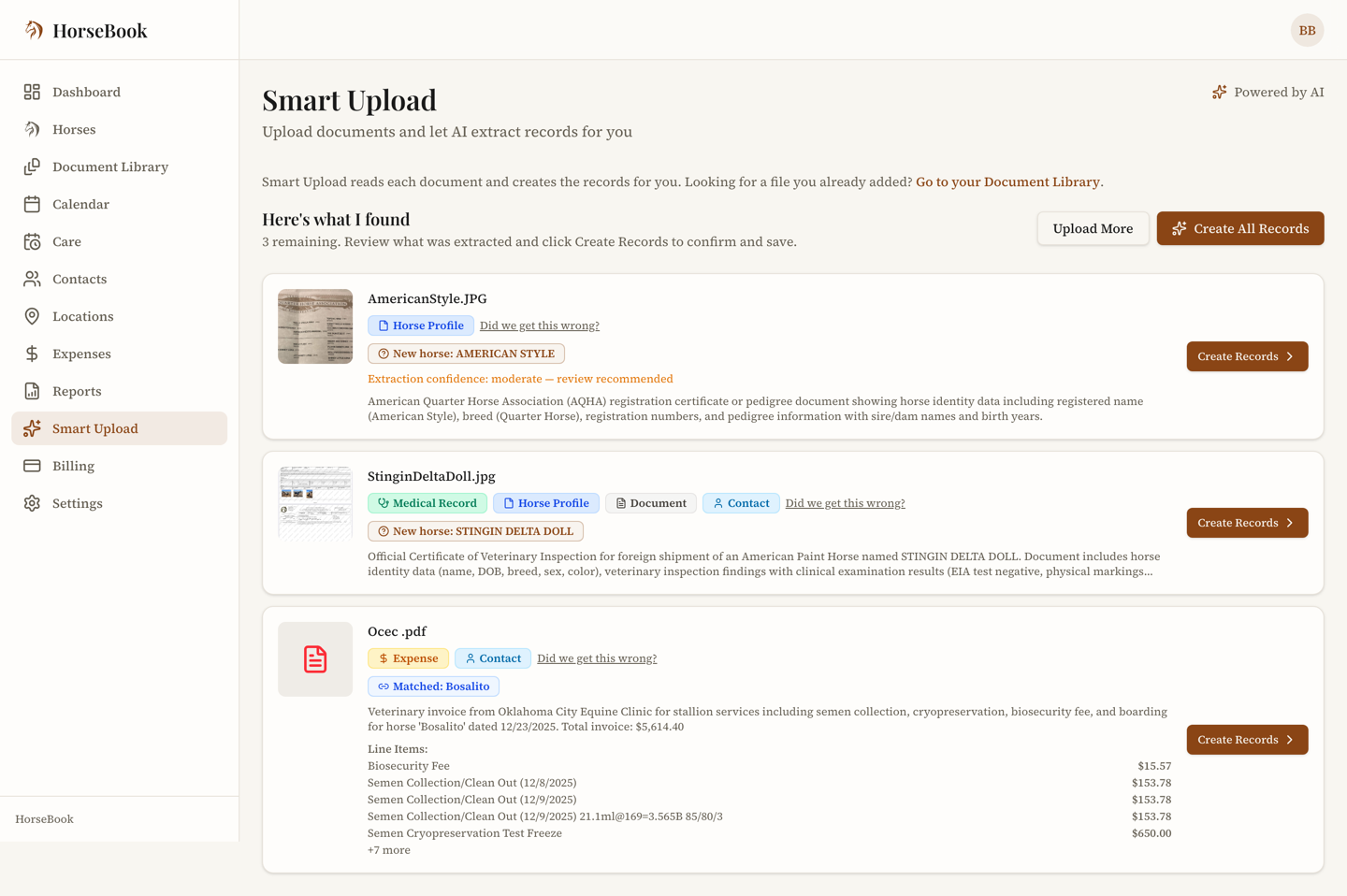
The fastest way is to let the scanner read it. Take a picture of a feed-store or vet receipt and HorseBook pulls out the vendor, the total, the date, and its best guess at the category — then shows you the line items it found so you can check them. Confirm, and it's an expense.
Use the camera scanner and point it at the receipt. It captures, reads, and drops you on a review screen with the amount and vendor filled in. Assign it to a horse if it's horse-specific, then save.
Upload the receipt photo or PDF through the upload hub. It's read the same way, and you review the extracted amount, vendor, and category before saving.
See Scan your paperwork for the full walkthrough — receipts are one of the document types it handles.
Type it in
Not everything has a receipt worth scanning. To add one by hand:
- 1Open Expenses and add a new expense.
- 2Enter the amount and date, and pick a category (see the list below).
- 3
Optionally attach it to a horse, add the vendor, a description, and notes. Leave the horse off and it's a farm-level expense.
- 4If it's a regular bill, turn on recurring and choose how often. Save.
Categories
Every expense gets one category, which is what makes the totals useful:
Board/Stabling · Feed & Supplements · Veterinary Care · Farrier · Training/Lessons · Tack & Equipment · Insurance · Shows/Competitions · Transportation · Other
Horse-specific vs. farm-level
- Attach a horse and the expense lives on that horse's record, so every cost tied to that animal stays attributed to it.
- Leave the horse off and it's a farm-level cost — barn insurance, a truckload of shavings, anything that isn't about one animal.
Recurring expenses
Board and lease payments come around on a schedule, so you can mark an expense as recurring — weekly, biweekly, monthly, quarterly, or yearly — instead of re-entering it every month.
Both web and iPhone
Expense tracking and receipt scanning both work on the web dashboard and the iPhone app, and everything syncs. Log the feed-store run from the parking lot; it's on the web when you sit down to reconcile.