Where the business lives
Your stallions, bookings, invoices, contract templates and clients now sit together under Business — here is what is on each page and where your old links go.
Your barn work and your business are two different jobs. Feeding, health records, farrier dates and reminders are one; who booked which mare, who has signed, who still owes you, and what the season is worth is the other. HorseBook now keeps them in two places in the sidebar, so you are not hunting for a stud fee in a health record.
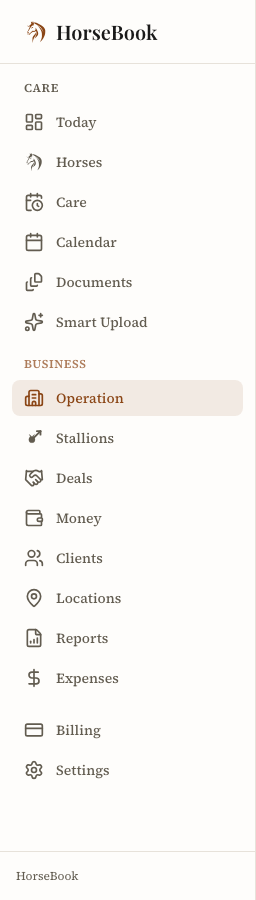
Care is everything about the horses themselves — Today, Horses, Care, Calendar, Contacts, Documents and scanning.
Business is everything about the money and the people — your operation at a glance, your broodmares, your stallions and their season books, your deals, your money, your clients, your locations, reports and expenses.
Nothing moved out of HorseBook. Every record you had is where it was; the doors to some of them changed.
Operation — the page you open first
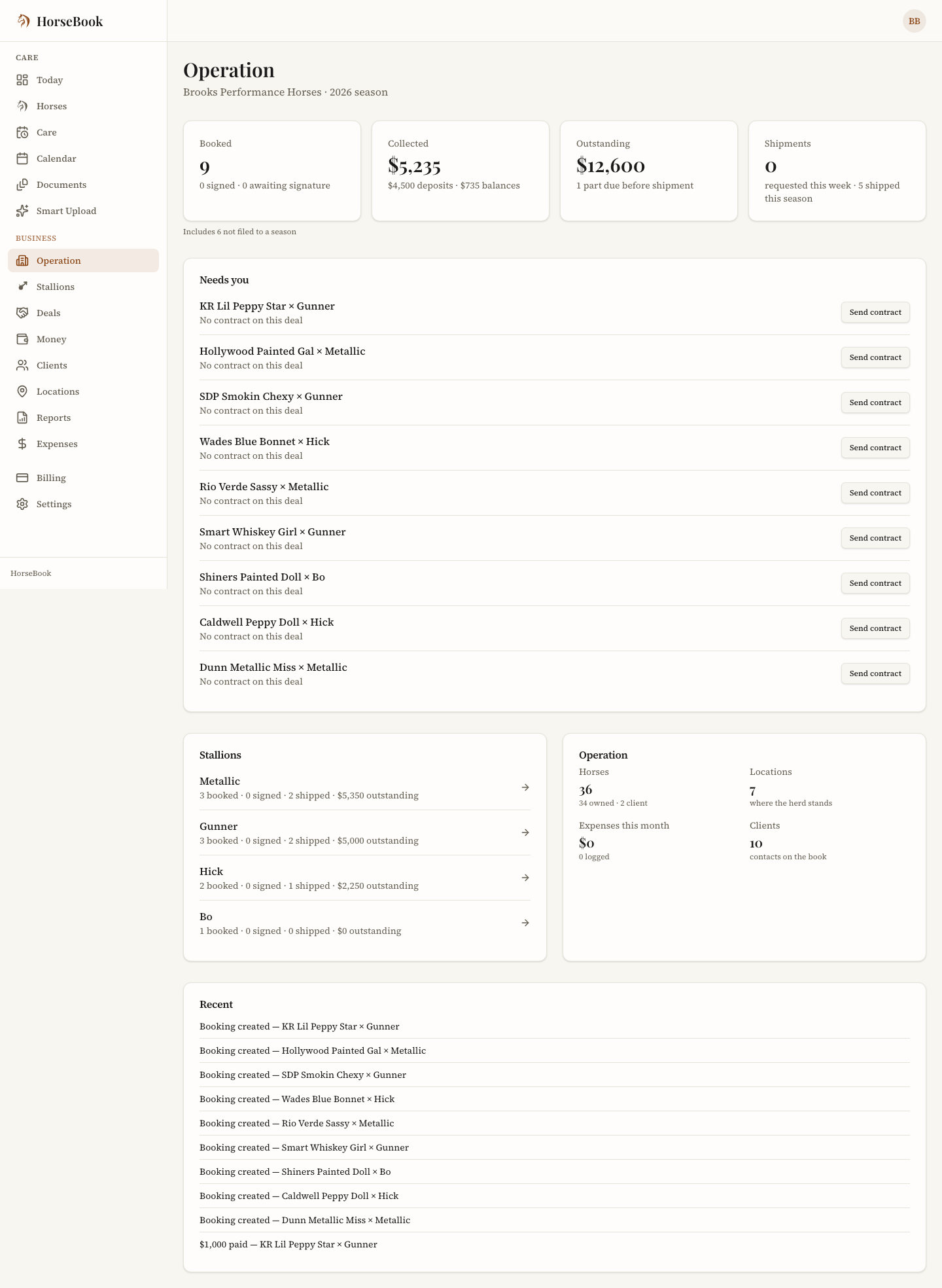
Operation is the top of the Business group, and it answers "what does my season look like this morning" without you opening anything else.
Across the top: how many mares are booked and how many of those have signed, what you have collected so far split into deposits and balances, what is still outstanding and how much of it is due before a shipment goes out, and what has shipped. Those four cover the season you have open, plus any bookings not filed under a season, and the line underneath says so. Deals and Money count every season, so their totals can be bigger.
Under the tiles, who owes what: three counts across all your deals. Deposit unpaid is a deal still waiting on its deposit. Balance due has its deposit in, but something is still owed. Paid up has been paid in full. Tap one and Deals opens showing just those deals.
Then Needs you — the short list of things that are actually waiting on you. A contract you sent more than a week ago that has not come back. A shipment requested on a booking that still owes you money. A booking with no contract on it at all. A fourteen-day check that has come due. Each line takes you straight to the deal it is about.
Then Recent, so you can see what has happened lately without going looking: contracts signed, payments marked, collections logged, bookings made.
If you do not stand a stallion, Operation shows you your operation instead — horses by location, what you have spent this month, how many outside horses you are keeping, and your reports. On the Hobby plan, the ones that come with Pro show a lock, and tapping one tells you what Pro adds.
The Operation card counts your horses, locations, this month's expenses and your clients. Clients means your mare owners, the same people the Clients page lists.
Stallions and the season book
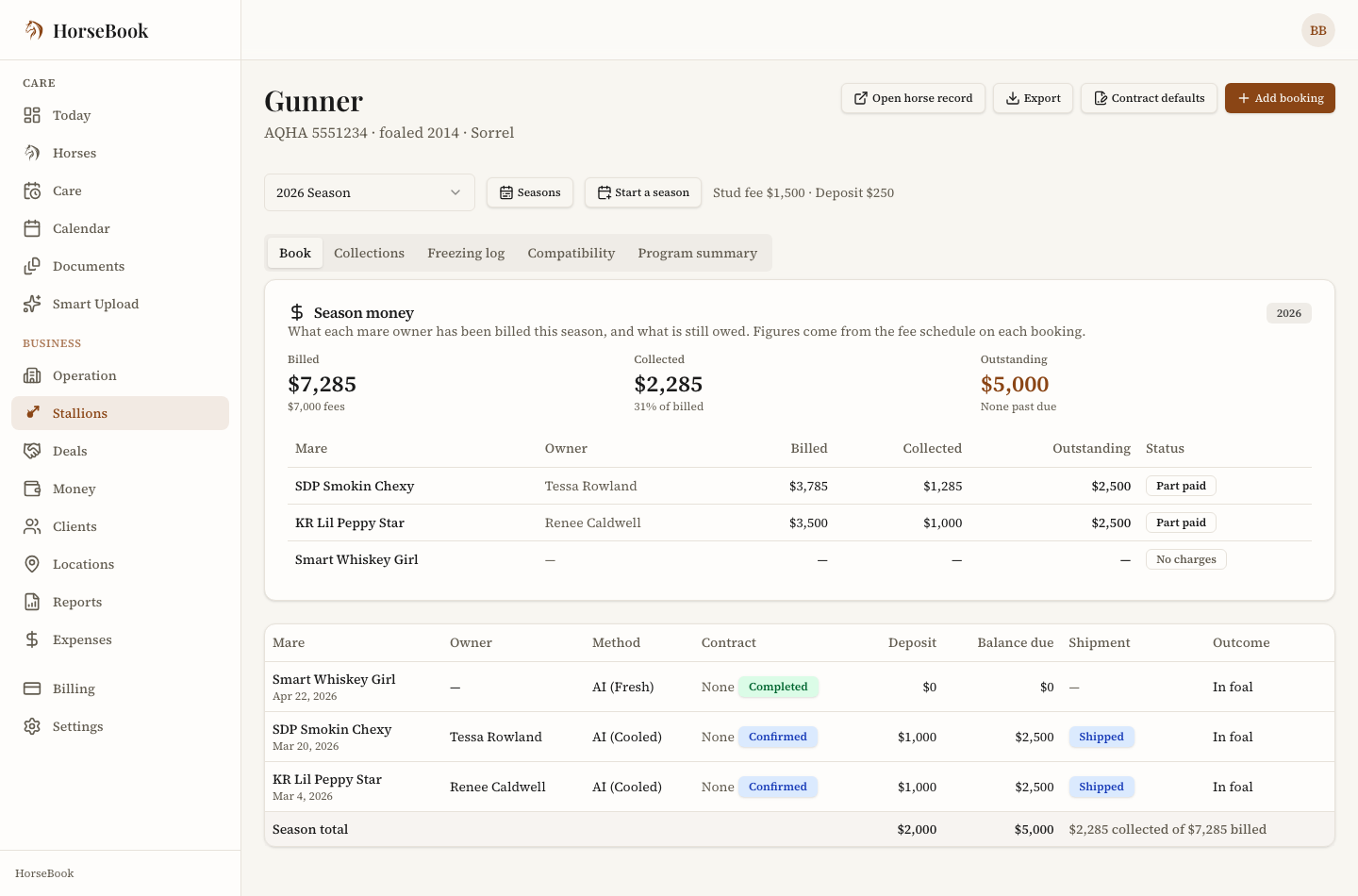
Stallions lists every stallion you stand, one line each, with how his season is going: booked, signed, shipped, and what is outstanding.
Open one and you are in his season book — the page that used to be squeezed onto his horse record. It has a header with his papers and the season you are looking at, and tabs across the rest:
- Book — one row per mare booked this season: the mare and her papers, her owner and where they are, the breeding method, whether the contract is signed, the deposit, the balance, the shipment, and how it turned out. Totals at the bottom. You can export it.
- Collections — every collection you have logged, with the shipments that came out of it.
- Freezing log — what you have frozen and where it is stored.
- Compatibility — your notes on which mares suit him.
- Program summary — the season's numbers pulled together.
The season picker in the header now drives the whole page, including the money panel underneath the book, so everything on screen is talking about the same year. It opens on the season you have open; if none of your seasons is open it opens on the most recent one with mares in it.
His horse record is still his horse record. Open it from the season book any time — his breeding history and his foals are still there, along with a card that brings you back to the book.
Deals
A deal is one booking, start to finish. Deals lists every one of them across every stallion, so you can look at your whole season without going stallion by stallion. Filter by season, stallion, status or owner, and two more:
- Contract — deals that need a contract, contracts out unsigned for more than a week, or signed. A contract signed on paper and uploaded counts as signed.
- Money — Deposit unpaid, Balance due or Paid up, the same three counts as on Operation. A cancelled booking that still owes a shipping or other cost line shows under Balance due, so that money doesn't get lost.
The web address keeps your Contract and Money filters, so you can bookmark "who owes me a balance" or send yourself the link.
Each deal in the list has a button for the one thing to do next, in the same order as the stages on the deal page: Send contract if there isn't one yet. Copy sign link if it's out and unsigned (this copies the link she signs on, ready to paste into a text). Share invoice if it's signed and money is owed but you haven't sent her the invoice. Record payment once you have. A deal that's signed and paid up has no button. Copy sign link copies straight from the list when the link already exists. The other buttons open the deal at the card that does the job.
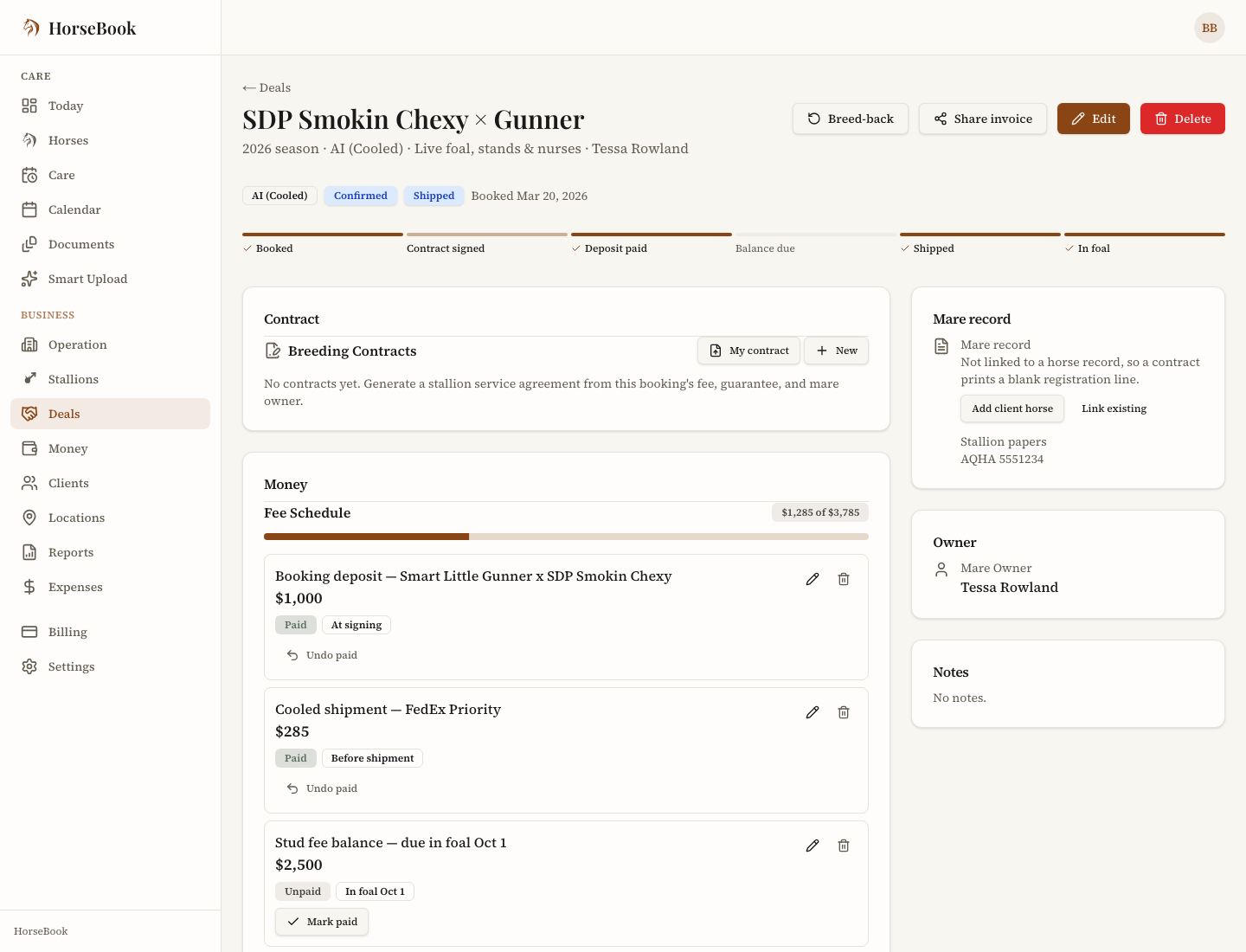
Open one and the booking gets a whole page instead of a pop-up window, with the stages across the top — booked, contract signed, deposit paid, balance due, shipped, in foal — so you can see at a glance where it has got to.
Everything you did in the pop-up you still do here: the contract, the fee schedule, documents, the shipment, the mare's record, her owner's details, notes, breed-backs and sharing an invoice. It just has room now, and it has its own web address, so you can keep it open in a tab or send yourself the link.
Money, and your contract templates
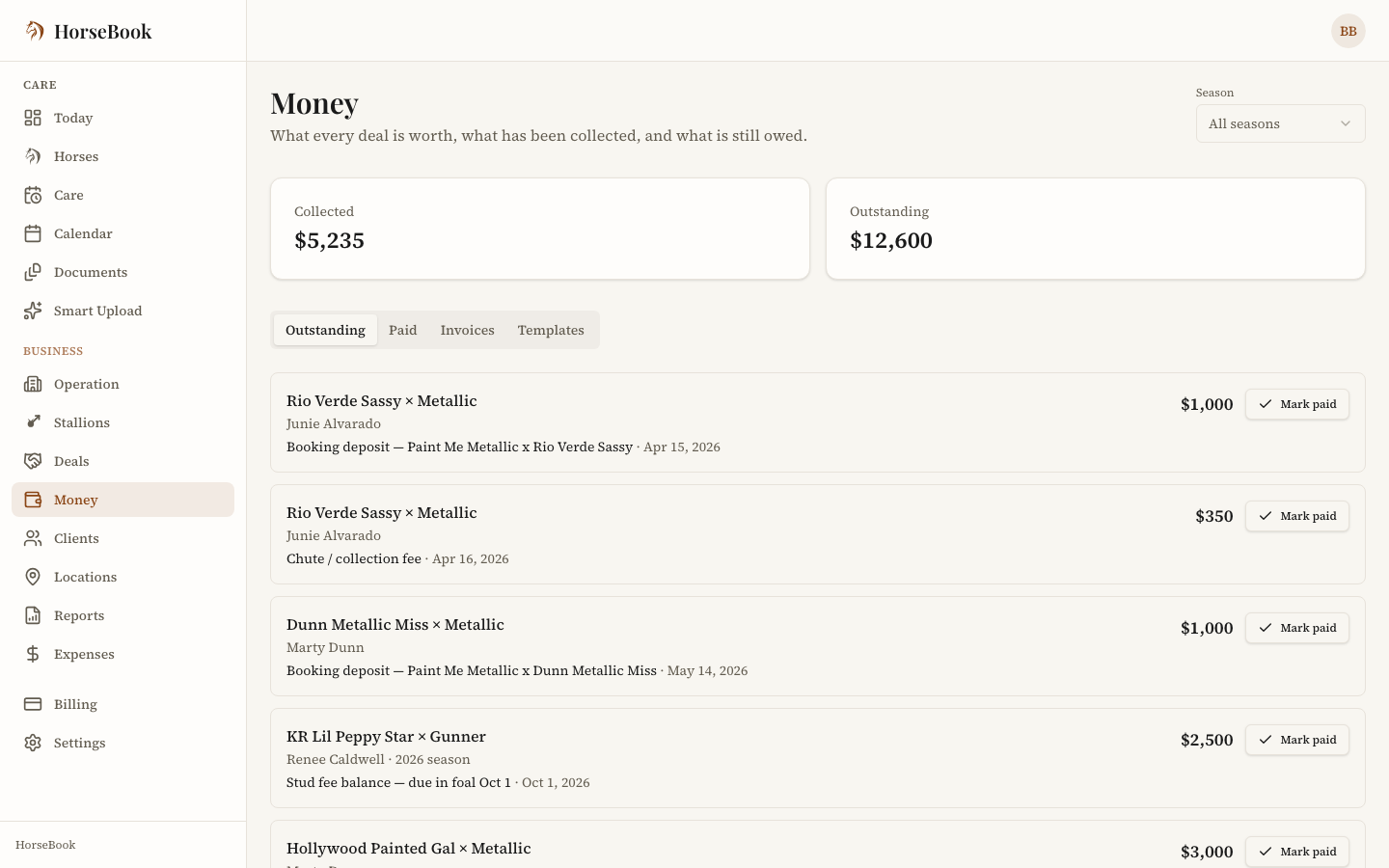
Money is every dollar in one place, in four tabs:
- Outstanding — every unpaid part across every deal, with what it is for, when it is due, and what it is worth, grouped into Past due, Coming due, Due on an event and No due date. Mark one paid from here.
- Paid — what has come in.
- Shared invoices — a deal's invoice shows here once you share its link with the mare owner, with where each one stands. Everything owed is under Outstanding.
- Templates — your own contract templates.
Templates is the one that moved. Your contracts used to live in Settings; they are now the fourth tab here, next to the money they are about. Nothing changed about them — upload a contract, mark where its fields go, approve it, and it is ready to use on a booking.
HorseBook does not take payments and never has. Money is your book: what you have billed, what you have been paid, and what is still owed, from what you record on each deal.
Clients
Clients is your contacts seen from the business side — the mare owners you are dealing with this season, and the vets and farriers you work with. A mare owner's card shows the mares they have with you and what each one owes.
It is the same address book you already had, and Contacts under Care still opens all of it; adding someone here adds them to your contacts, and the other way around.
Your old links still work
You do not have to relearn any bookmark.
- A link to a stallion's breeding page still opens that stallion — the book is one click away.
- A link to a contract template in Settings takes you to that same template under Money.
- Anything you had saved to a page that has moved sends you to its new home.
- The emails HorseBook sends you about a contract still land in the right place: Open the booking (and share the invoice) opens that deal's page, and View the signed record opens the signed contract, as before.
Who sees this
Business is in the sidebar for everyone, and what you can open depends on your plan.
- Stallions, Deals and Money come with the Business plan.
- Locations and Reports come with Pro.
- Expenses is on every plan.
The locked ones stay visible on purpose, so you can see what is there before deciding whether you want it. See Billing & plans for what each plan includes.