Send stallion breeding contracts and get them signed online
HorseBook fills your breeding contract from the booking, with the mare, her owner, the stallion, the season and the fees, and sends it as a link the mare owner signs on their phone with no app and no account. Use your own contract, uploaded and approved once, or HorseBook’s built-in agreement. Contracts are part of the Business plan, $39.99 a month or $399.99 a year; you send them from iPhone, iPad or the web, and a contract’s wording is set up on the web.
No card to start. Works on iPhone, iPad and any web browser. Hobby $4.99, Pro $9.99, Business $39.99/mo.
Updated
How it works
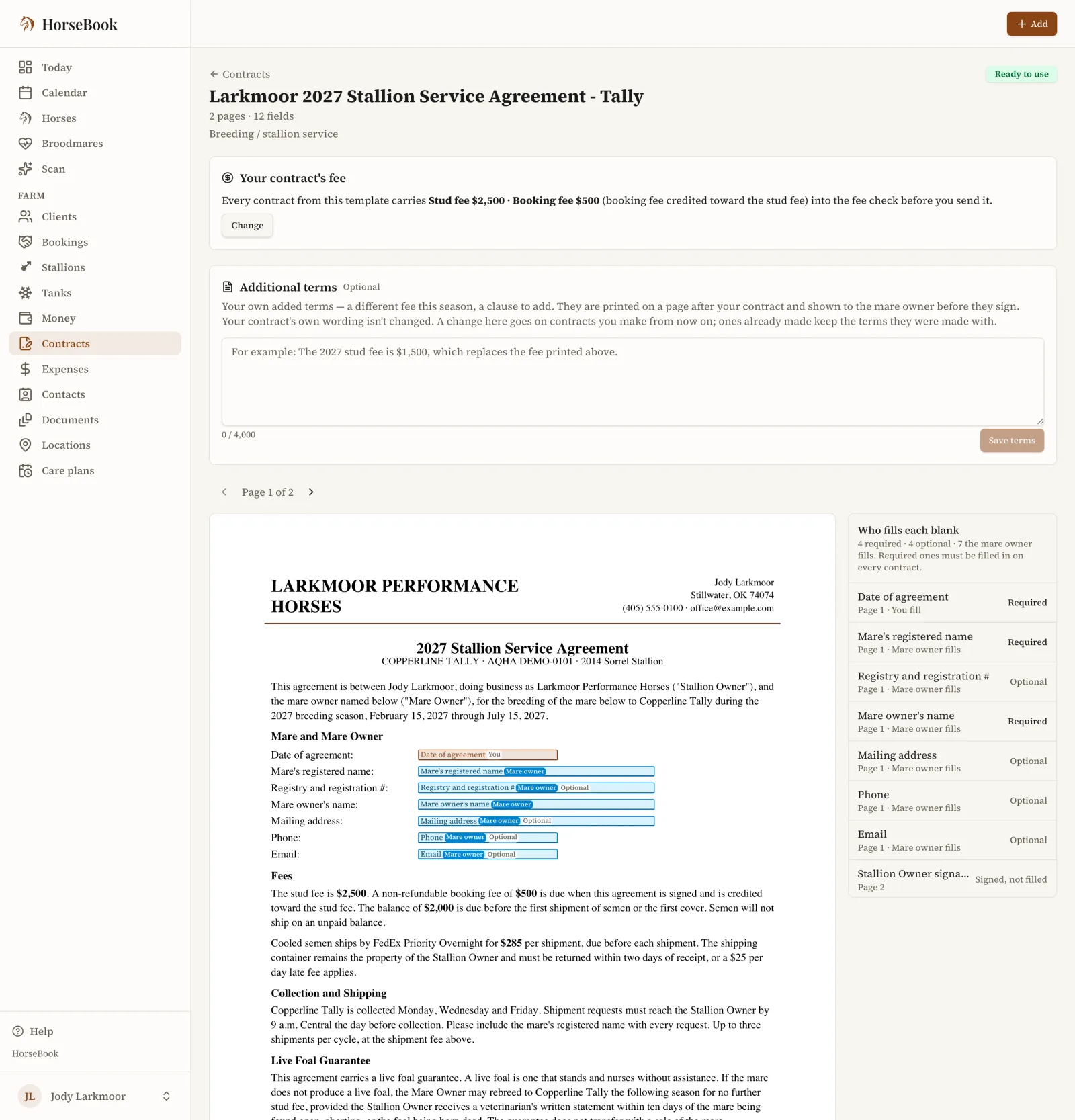
- 1Upload the contract you already use as a PDF on the web. HorseBook marks the blanks, the ones you fill and the ones the mare owner fills; you check where each one landed and approve it once. Or use the built-in agreement.
- 2Pick the default contract for each stallion’s season on Stallions.
- 3From a booking, make the contract, sign it, and send the link. This works on the phone too.
- 4The mare owner reads it on their phone or computer and signs. They get a copy by email, and the booking shows it as signed.
Keep the contract you already use
Upload your contract as a PDF. HorseBook marks each blank and who fills it, you approve it once, and every booking fills it in from then on. Additional terms for a season print on a page after your contract, so your own wording is never changed.
- Your contract, approved once, or the built-in agreement
- Each stallion’s season picks its default contract
- Contracts lives on Farm, so one uploaded contract can serve any stallion
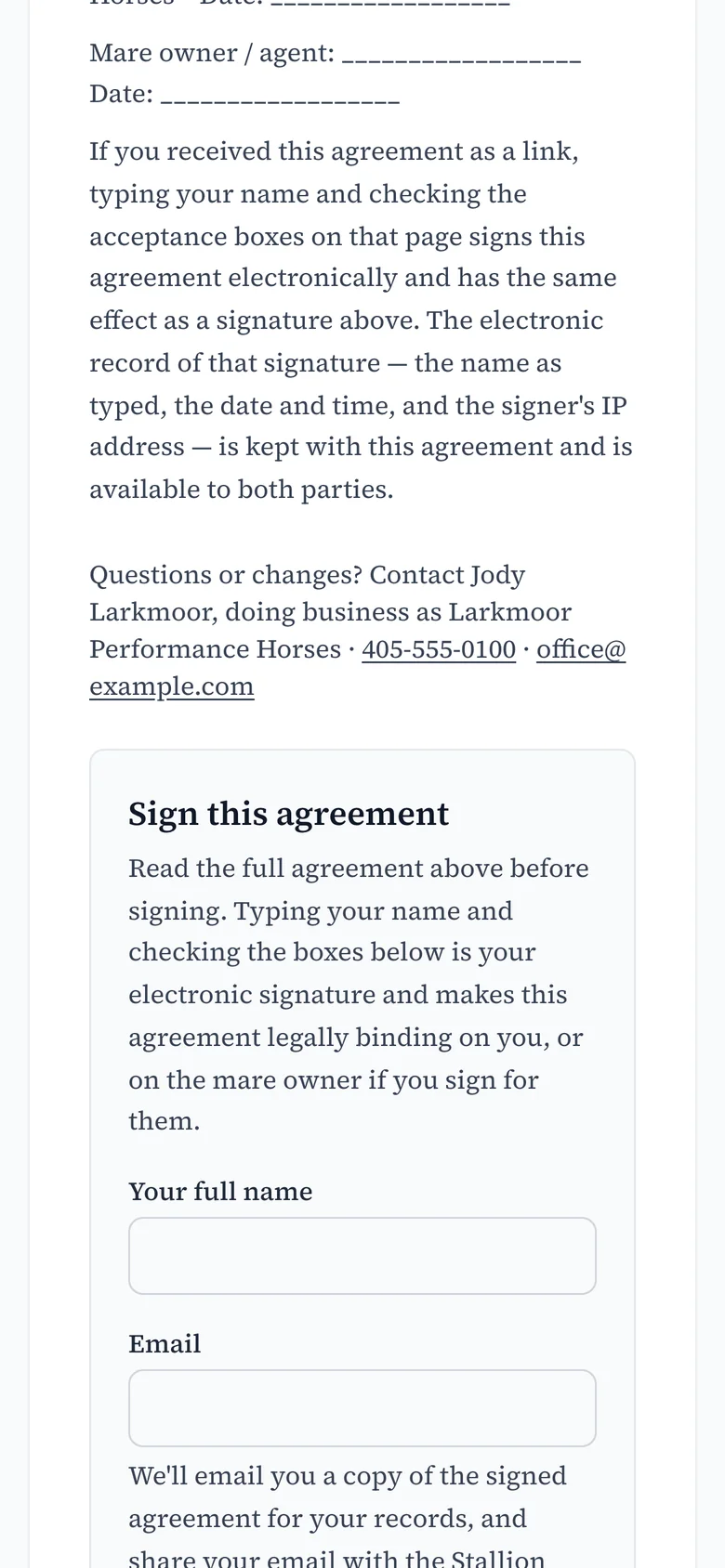
The mare owner signs on their phone, from a link
The mare owner opens the link, reads the whole agreement, types their name and checks the boxes. There is nothing to download and no account to make.
- A copy of the signed agreement goes to them by email
- The booking shows the contract as signed, on the web and in the iPhone app
- Revoke a link sent by mistake before anyone signs it
- A signed link works for 90 days, and they can ask for a fresh one by email
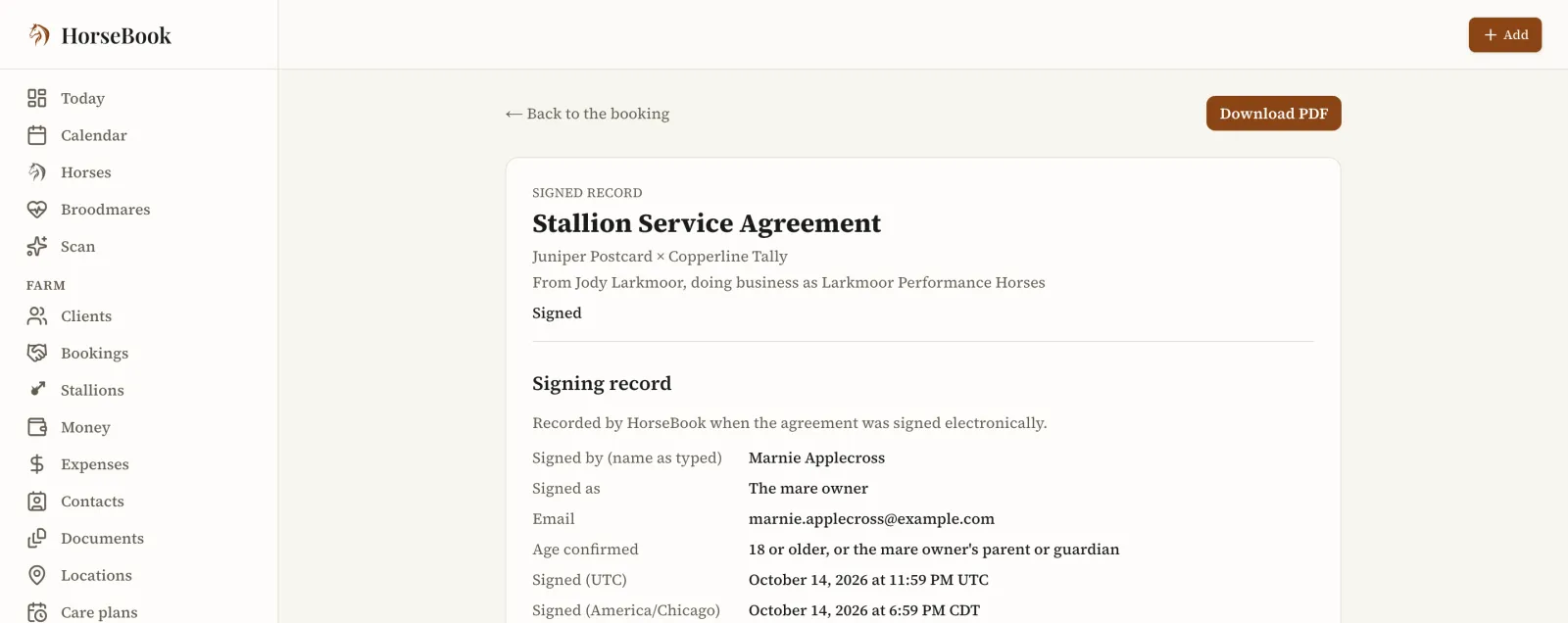
The signed agreement, filed on the booking
Each signed contract keeps its signing record: the name as typed, who signed, the email and the time. Download the PDF from the booking whenever you need it.
- The signed record on the booking, with a PDF to download
- The deposit, stud fee and shipping on the same booking
- Download every signed contract at once as a zip
What it costs
Every plan starts with a 14-day free trial that includes everything, up to 25 people on your team, and no card to start. Business is one flat price for the operation: no charge per stallion, per mare or per horse, and no per-seat price for your team.
- Business$39.99/mo or $399.99/yr
- Contracts from a booking, signed by phone from a link, your own uploaded contract, and the rest of the season and billing.
- Pro$9.99/mo or $99.99/yr
- Your horses’ records and mare records. No bookings or contracts.
- Hobby$4.99/mo
- Up to 3 horses with their health and mare records.
Frequently asked questions
Does the mare owner need to download an app to sign?
No. You send them a link. They read your contract on their phone or computer and sign it there, with no app and no account. They get a copy of the signed agreement by email, and the booking shows it as signed on the web and in the iPhone app.
Can I use my own contract?
Yes. Upload it as a PDF on the web, check where HorseBook placed each blank, and approve it once. Every booking then fills it in. If you would rather not, HorseBook’s built-in agreement is ready to use.
Can I send a contract from my phone?
Yes. From a booking on iPhone or iPad you can make the contract from the built-in agreement or a contract you have already approved, send the link, revoke it and see when it is signed. Uploading a contract and changing its wording are done on the web.
What if I sent the link to the wrong person?
Revoke the link from the booking. It stops working, and you can share a new link with the right person.
How long does the signed link work?
A link to a signed agreement works for 90 days after signing. After that the mare owner can ask for a fresh link by email from the same page, and they already have the copy that was emailed to them when they signed.
Does it have a billing section as well?
Yes, on the Business plan. Each client has one account that carries their booking fees, board, mare care and the vet and farrier bills you pass on, at cost or with your markup. You send a statement, record each payment as it comes in, and see what every client still owes. HorseBook records payments and never takes or holds the money; it goes straight to you.
Does it connect to QuickBooks?
No. HorseBook does not connect to QuickBooks or any other accounting software. Each statement you send is a link your client opens, and it prints or saves as a PDF. On the web, each stallion’s season downloads as a spreadsheet with every booking’s deposit, amount billed, amount collected and balance due.
Related
Help: send a contract to sign
Send the mare owner a link, they sign on their phone, and you accept it.
Run a stallion’s breeding season
Bookings, contracts, collections, frozen straws and billing, one stallion at a time.
Track frozen semen across your tanks
Straws by tank, canister and cane, including outside stallions and ones that have died.
Bill owners for board and vet costs
One account per client and one statement a month: board, mare care and passed-on bills.
Software for a breeding farm
Mares, stallions and foals in one book, from heat cycle to foal on the ground.
AQHA and APHA breeding reports
Each stallion’s yearly report laid out from the breedings you already keep.
Bring your barn staff in
Managers and Staff with their own logins. Staff log care and see no money.
Switching from CRIO
We load your CRIO exports for you, and an honest side-by-side.
Pricing
Hobby, Pro and Business, each with a free trial and no card to start.
For breeding programs
A breeding season on one page: bookings, contracts and who still owes.
Stallion breeding contract template
Booking and stud fees, the live foal guarantee, shipped semen. Free PDF.
Broodmare lease agreement
Term dates, who gets the foal, board and vet, insurance. Free PDF.
Send this season’s contracts from the booking
Start a free trial, book a mare, and send her owner the contract to sign on their phone.