How HorseBook Tells You What's Due: The Morning Reminder
A records app only helps if it reminds you before the deadline, not after. Here's how HorseBook's morning reminder works — a once-a-day summary of what's due, on your phone or in your inbox, and nothing on the days there's nothing to do.
By Brian Bickell, who builds HorseBook from a ranch in Oklahoma — usually from whatever the folks using it tell me is missing.
Here's a thing I got wrong for a while. I built HorseBook so you could keep every horse's records in one place, and I figured that was the job. But my wife pointed out the obvious: the records don't do you any good if you have to remember to go look at them. The Coggins that expired, the deworming you meant to do in April — those don't get missed because the record was wrong. They get missed because nobody opened the app that day.
So we built the other half. HorseBook now comes to you in the morning instead of sitting there waiting to be opened. Here's how it works.
One summary, once a day
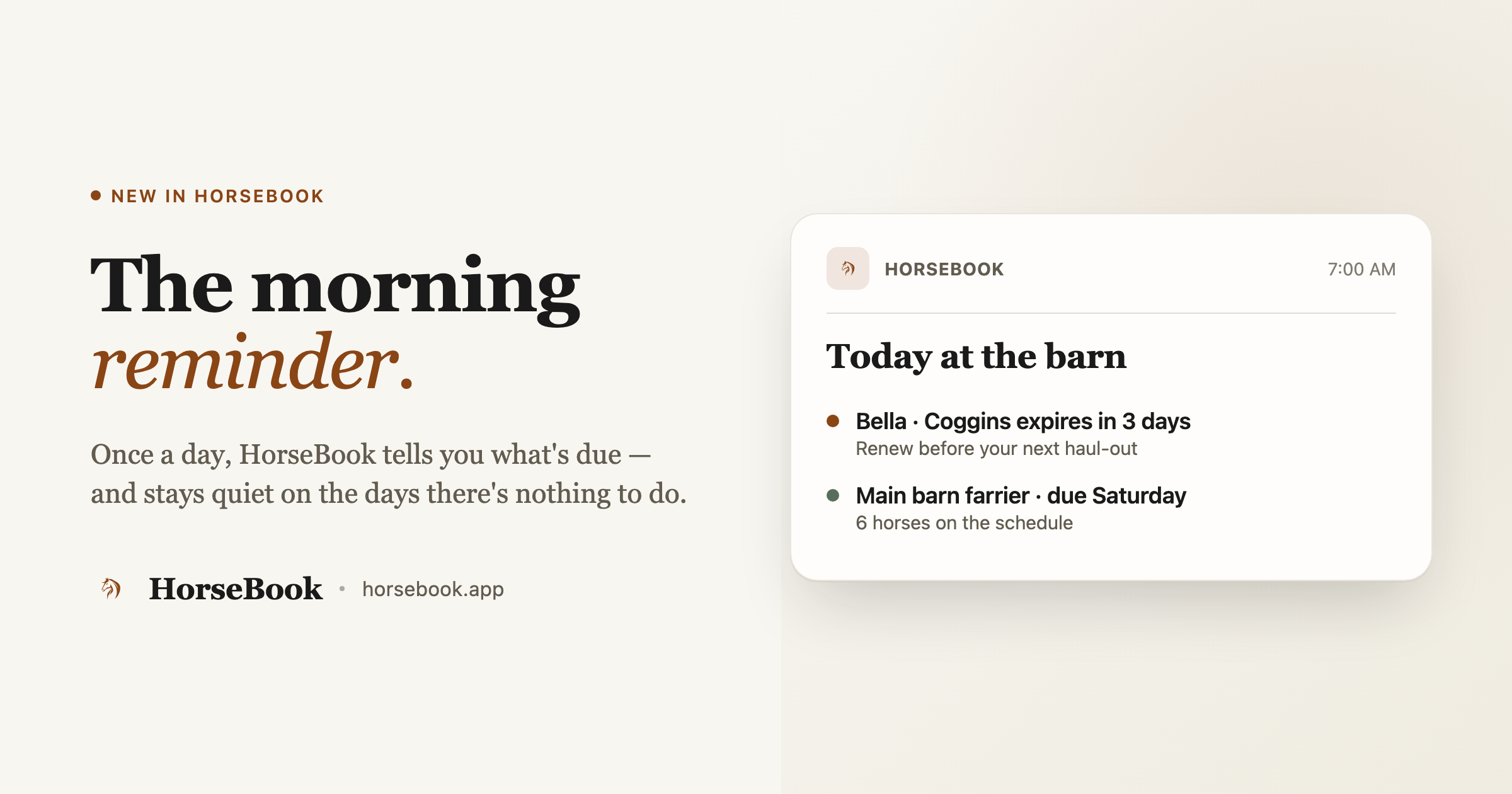
The idea is deliberately small. Once a day, if something's due, HorseBook gives you a single plain line — what's coming up, what's overdue, which horse. Not a stream of pings. Not a badge for every record. One summary, in the morning, and then it leaves you alone.
The most important part is the part that doesn't happen: on a day with nothing due, you get nothing. No "you have 0 reminders," no empty digest. Silence is the correct message when there's nothing to do, and an app that cries wolf on quiet days gets muted fast. My wife would have muted it herself, and then where would I be.
On your phone (iPhone)
On the iOS app, this shows up as a quiet notification each morning titled "Today at the barn," with the day's summary underneath.
How to turn it on:
- Open Settings in the app and find Reminders on this iPhone.
- Flip on Morning reminder. The description tells you plainly what it is: "A quiet notification each morning when something's due — the same summary as the daily email, on your phone. Never sent when there's nothing to do."
- That's it. There's no permission popup barging in the first time you open the app — the morning reminder is set up quietly, so you opt in when you decide to, not because a dialog cornered you on day one.
Reminders at the actual time, too
Separate from the morning summary, if you put something on the calendar with a specific time — a vet appointment at 2, a farrier at 9 — you can ask for a reminder at that time, not just in the morning batch. When it fires it's simple: the event's name and "It's time — tap to open HorseBook." Arm it on the event, and turn it off just as easily when plans change.
In your inbox (web, or if you'd rather have email)
If you use the web app — or you just live in your email more than your notifications — the same summary comes as a morning email digest on the days something's due. It's the same engine underneath, so the phone reminder and the email are telling you the same thing; you're just choosing where you'd rather hear it. On Mondays the email leans a little further ahead ("your week ahead at the barn") since that's when people plan.
How to control it:
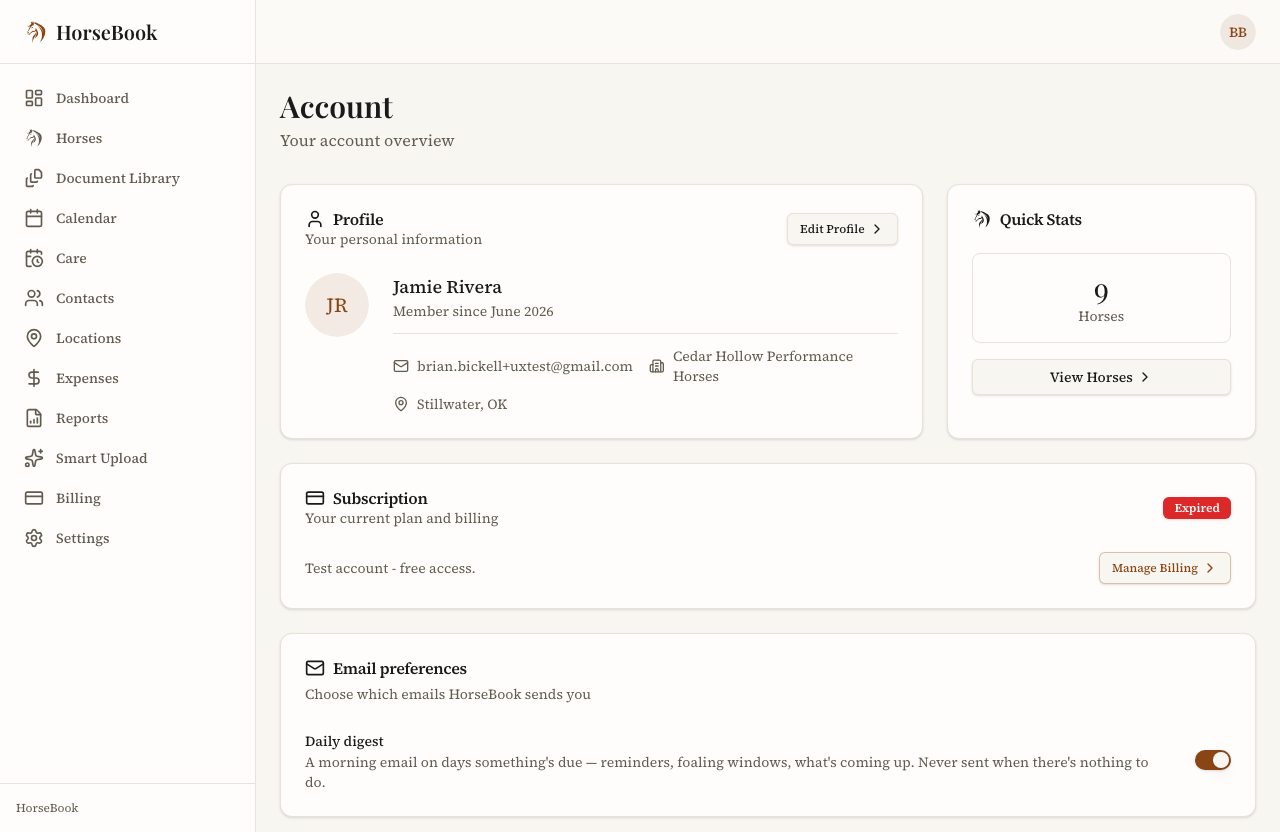
- In your Account settings, under Email preferences, find the Daily digest toggle.
- Leave it on to get the morning email, or switch it off if the phone reminder is enough. Same rule applies: nothing lands on a day with nothing due.
This is the kind of thing a vaccination and deworming schedule actually needs to be useful — the dates only help if something nudges you before they pass. Same goes for the Coggins in the truck console that's about to expire right when show season starts.
A quick note: "what's new" inside the app
While I'm here — one more small thing from this stretch of work. When we ship something new (like the morning reminder, or the locations and herd tools), you'll now see a short "what's new" note inside the app the next time you open it, so you actually find out the feature exists instead of it landing silently. For a while there we'd build something people asked for and they'd never know it shipped. This fixes that.
Why it's built this way
I'll be honest about the design rule, because it's the whole point: the app should earn every interruption. A records app that pings you constantly is worse than one that never pings you at all, because you'll turn the noisy one off and then it can't help you when it matters. So the morning reminder is quiet, it's once a day, and it stays silent when there's nothing to say.
If you want to try it, HorseBook has a 14-day free trial with no credit card. Set up a horse, put its next Coggins or farrier date in, and see whether a nudge the morning before changes anything for you. If you've got a way you'd rather be reminded, tell me — a lot of how this works came straight from people writing in.
You can download HorseBook on the App Store or sign up for the web app.