Care Plans: Schedule the Farrier for the Whole Group, Not One Horse at a Time
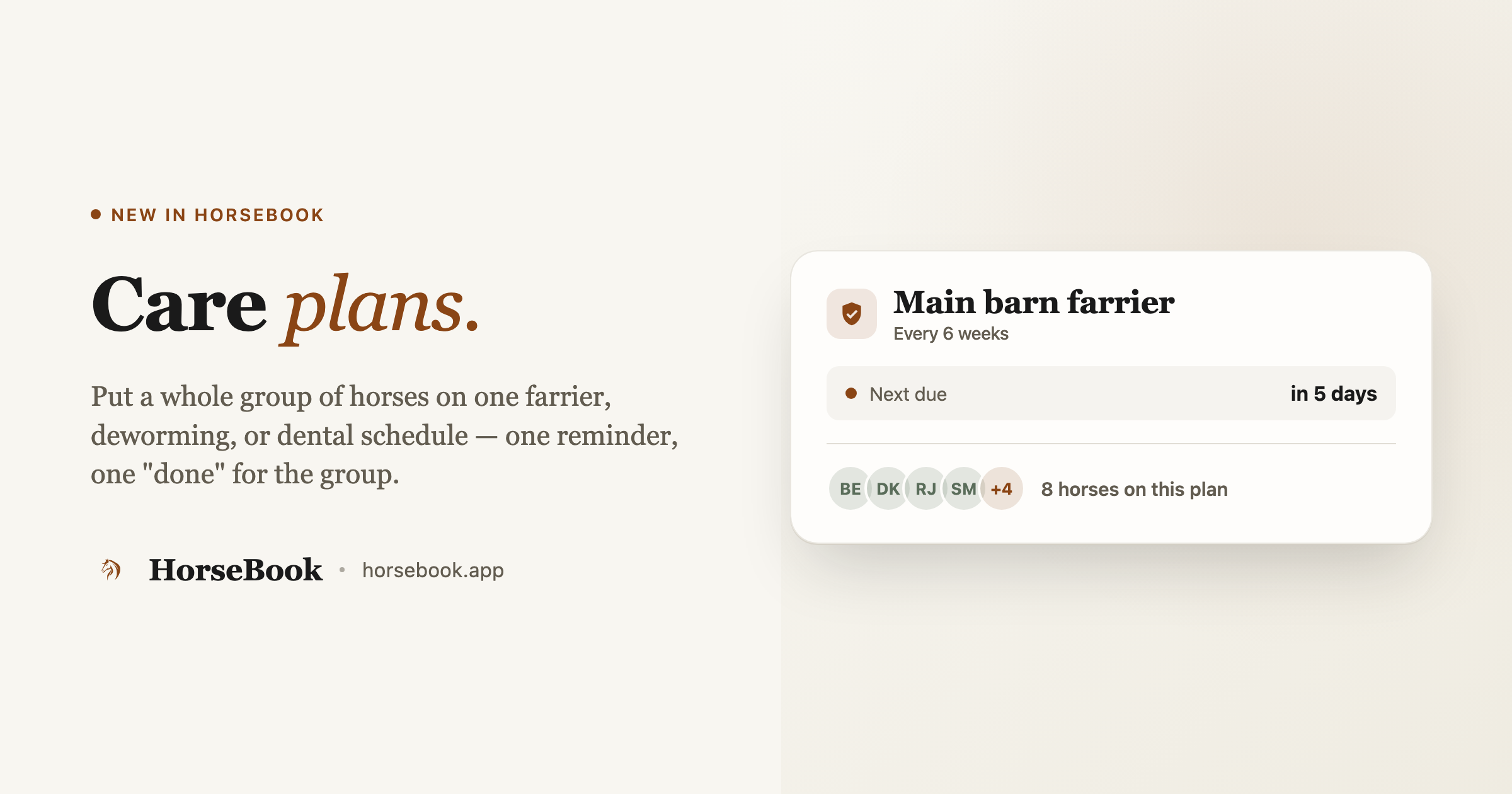
The farrier comes on one day and trims eight horses. So why would you schedule that eight times? HorseBook's care plans put a whole group of horses on one recurring schedule — farrier, deworming, dental — with one reminder and one 'done' when the visit happens.
By Brian Bickell, who builds HorseBook from a ranch in Oklahoma — usually from whatever the folks using it tell me is missing.
Here's a mistake I made, and then fixed, because a user set me straight.
The first version of recurring-care scheduling in HorseBook was per-horse. You'd set up a farrier schedule on one horse, then do it again on the next horse, then again. It seemed logical when I built it. Then a user who actually runs a barn pointed out the obvious: the farrier doesn't come for one horse. He comes on the fifteenth and trims the whole string. Scheduling that horse-by-horse is backwards from how the work actually happens.
So I tore it out and rebuilt it around the real unit of work: the visit. That's what care plans are.
What a care plan is
A care plan is one recurring schedule that a group of horses shares. It owns the cadence — every so many weeks — and it owns the next due date. The horses are members of the plan. When the visit happens, you mark the plan done once, and it logs a record for every horse in the group and rolls the whole thing forward to the next cycle.
Care plans cover the recurring, whole-group jobs: farrier, deworming, dental, and a catch-all other for anything else that runs on a cycle. (These are the routine cadence jobs — individual medical events like a specific vet visit still live on the horse as their own records.)
You'll find them under Care in the sidebar.
Setting one up
- Open Care and hit New plan.
- Pick the care type (farrier, deworming, dental, or other), set Every (weeks) for the cadence, and a Next due date.
- Optionally: give it a name ("Main barn farrier"), set Remind (days before) so the heads-up lands early enough to be useful, and attach the contact — your actual farrier or vet — so their info rides with the plan.
- Then pick the horses. The picker starts empty with a Select all button, so the common case — "everybody's on this farrier cycle" — is one tap, and you just uncheck the couple that aren't.
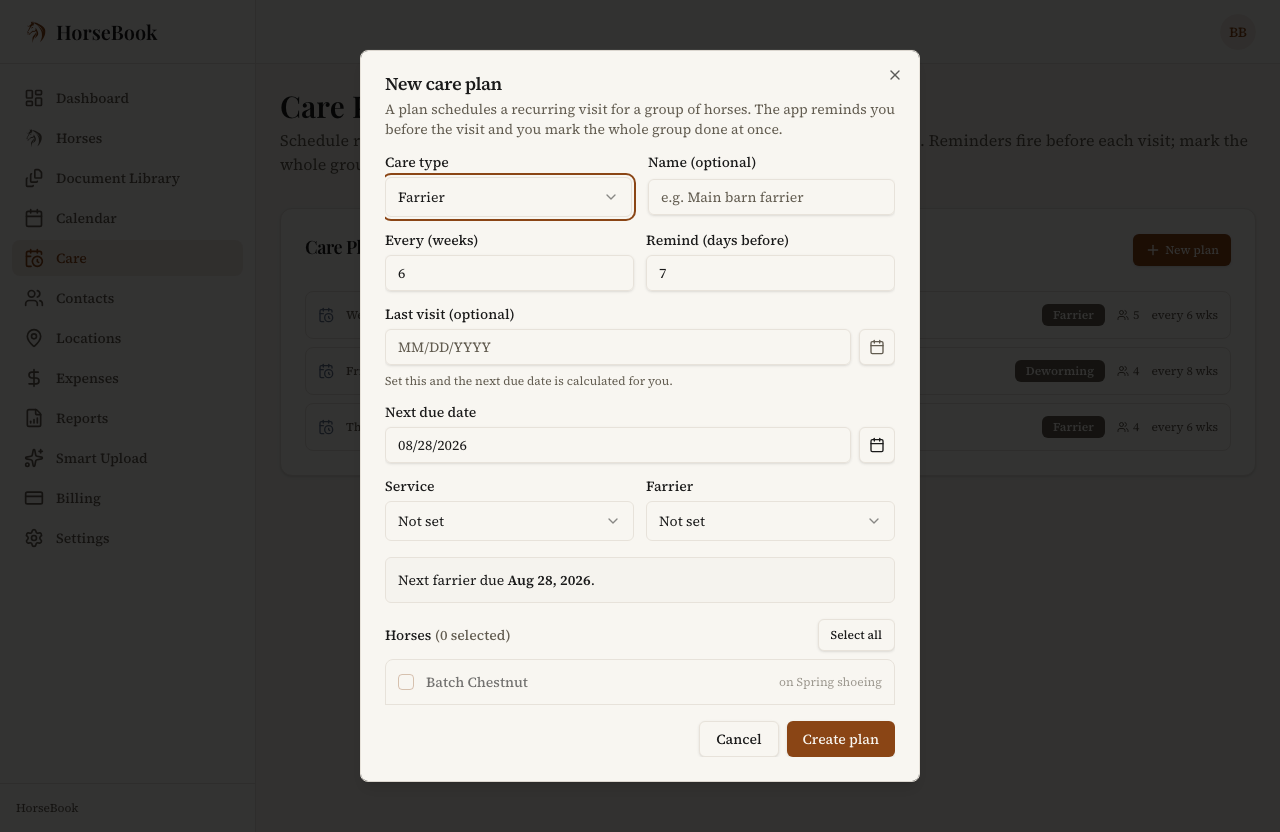
A horse can be on one active plan per care type — one farrier schedule, not two — so nothing double-books. If a few horses are on a different cadence (the youngsters getting trimmed more often, say), that's just a second plan with its own members.
When the visit happens: one "done" for the group
This is the part that saves the real time. When the farrier's been out, open the plan and hit Mark farrier done. Every horse in the group comes up pre-checked — because usually the whole group got done — and you just uncheck anyone who got skipped this round. Confirm, and HorseBook logs a record for each checked horse and advances the plan to its next due date in one step.
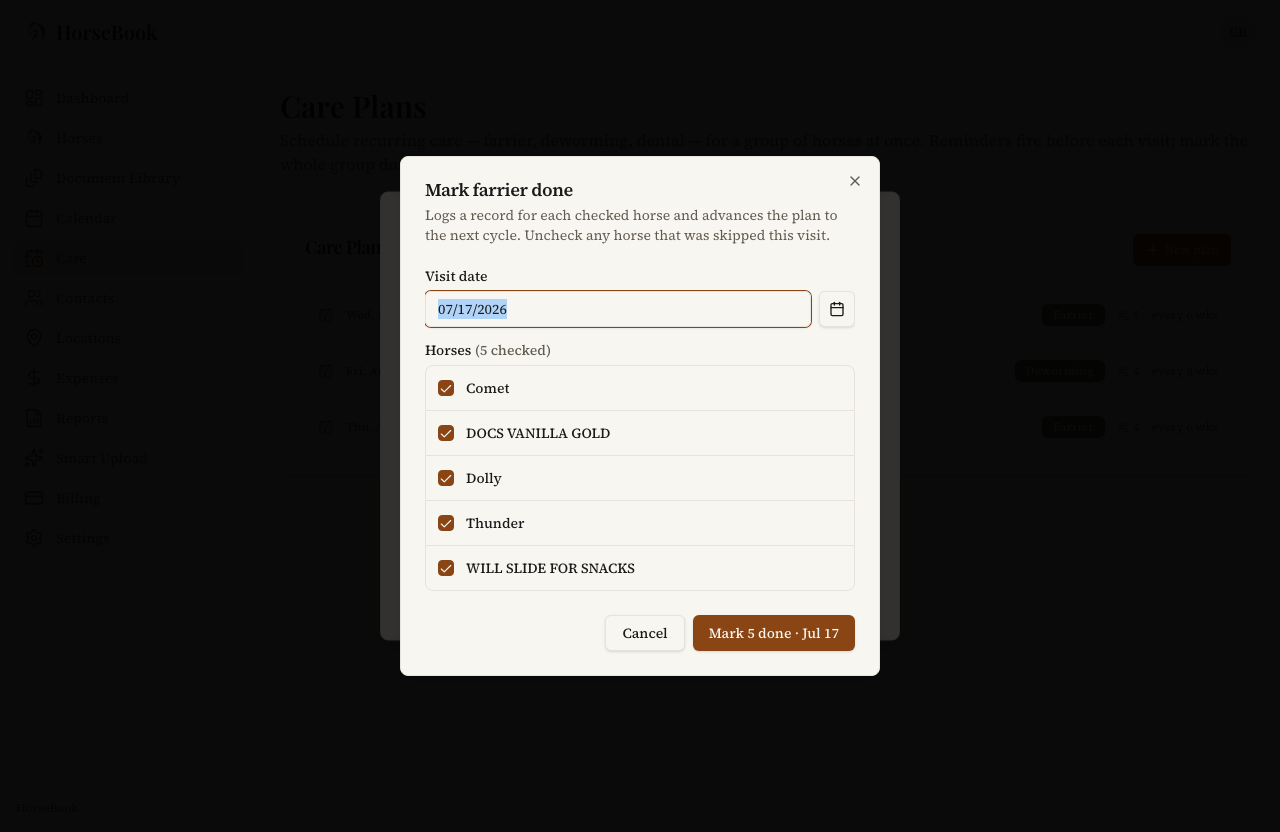
The reminders work the same way they do everywhere else in HorseBook — one heads-up before the group's due date lands, not eight — so a whole barn's farrier cycle turns into a single nudge the week before.
The hub keeps it all visible
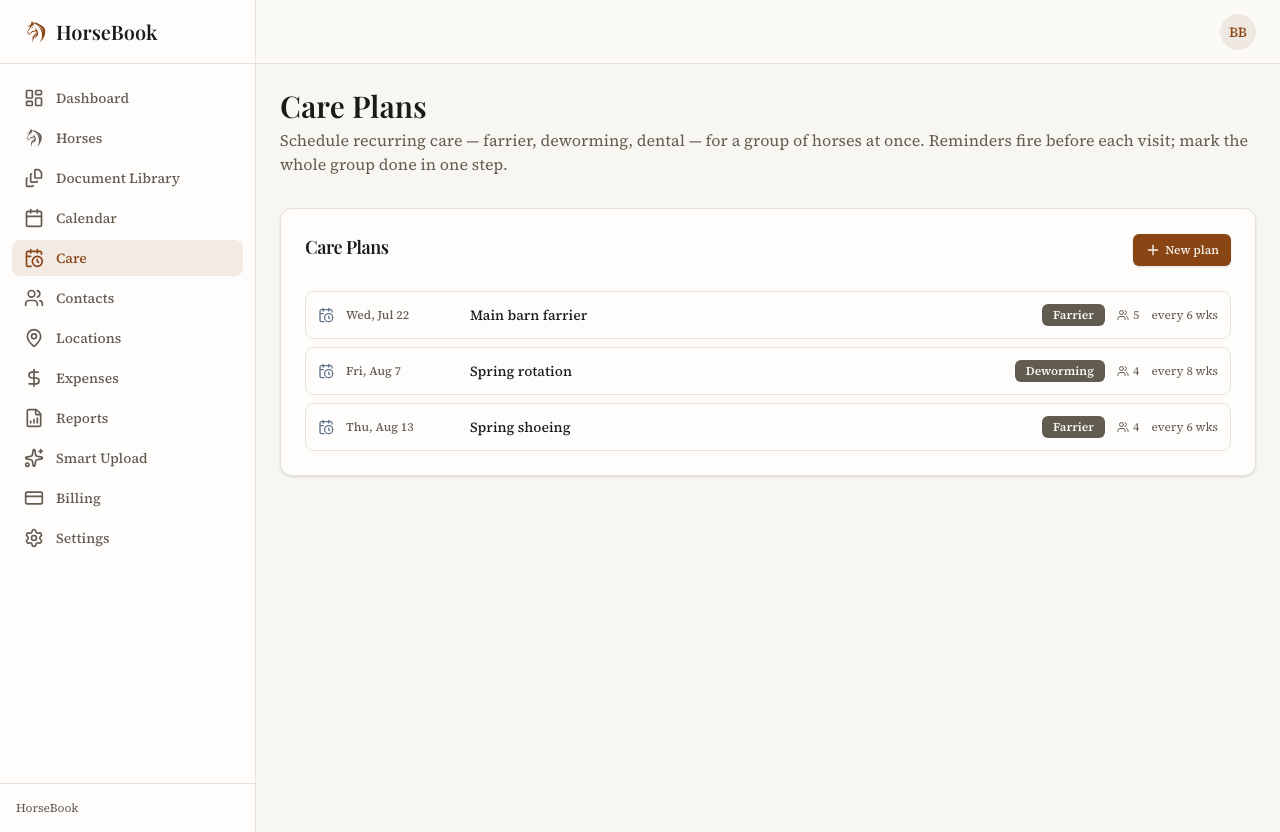
The Care screen lists every plan with its status right there — Due today, an upcoming date, or Overdue in red if one slipped past. If a plan goes dormant for a season (some folks pull shoes in winter), you can pause it; paused plans stay in the list, dimmed, and pick right back up when you resume them. Nothing disappears.
One honest note about selling and archiving
If you archive a horse because it sold or went out on lease, it comes off your active care plans — which is usually what you want, since you're not paying that farrier bill anymore. Worth knowing, though: un-archiving the horse later does not automatically put it back on the plan. The plan membership is a scheduling thing, not a permanent record, so if a horse comes back you'll re-add it to the group. Everything you actually recorded for that horse is preserved either way; it's just the future schedule that resets.
It's on both clients
Care plans are on the iPhone app and the web app both, and they're not a paywalled extra — they're part of keeping a barn organized, which is the whole job. If you're running more than a couple of horses through the same farrier and deworming cycles, this is the feature that stops you from being the schedule.
There's a 14-day free trial with no credit card if you want to try it — set up your farrier plan, add the string, and see how it feels to schedule the visit instead of the horses. You can download HorseBook on the App Store or sign up for the web app.
As always, this feature exists because someone told me the first version was wrong. If something here doesn't fit how your barn runs, tell me — that's how it gets better.