What's New in HorseBook 1.1.5: Locations, Outside Horses, Archiving, and Herd Reports
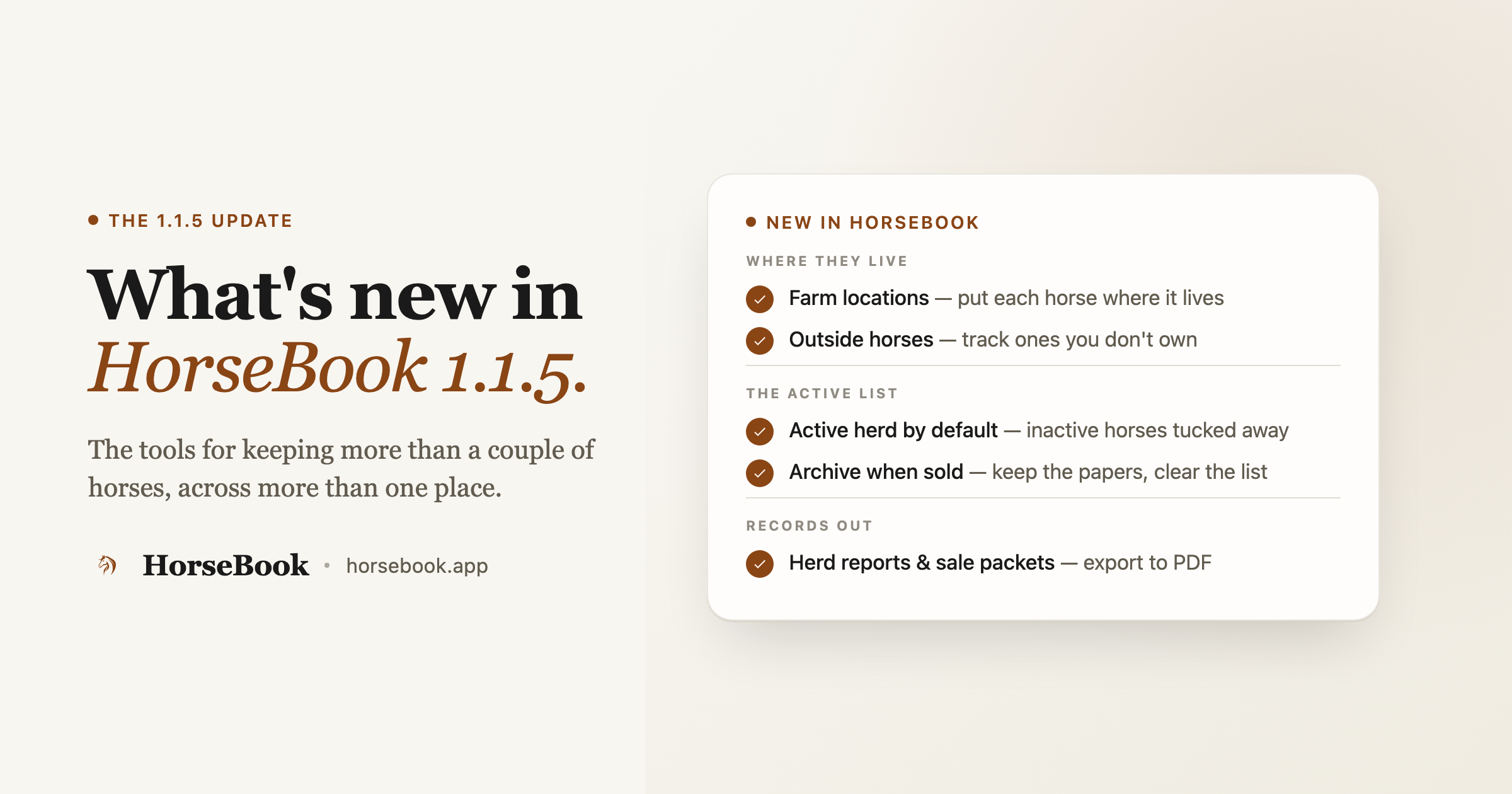
HorseBook 1.1.5 adds the stuff you need once you're past a couple of horses at one barn: farm locations, tracking horses you don't own, archiving the ones that sell, and PDF herd reports and sale packets. Here's what landed and how to use it.
By Brian Bickell, who builds HorseBook from a ranch in Oklahoma — usually from whatever the folks using it tell me is missing.
Most of what's in this release started with the same kind of message. Somebody keeps horses at more than one place — a few at home, a couple boarded across town, one they're caring for that belongs to a friend. Then they sell one, and it clutters up the list even though they want to keep its papers. HorseBook handled the horse in front of you fine. It didn't handle a herd that moves around and changes hands.
So 1.1.5 is about that. Where a horse lives, whose horse it actually is, what to do when one leaves, and how to hand somebody a clean printout of the whole thing. Here's everything that landed.
Farm locations
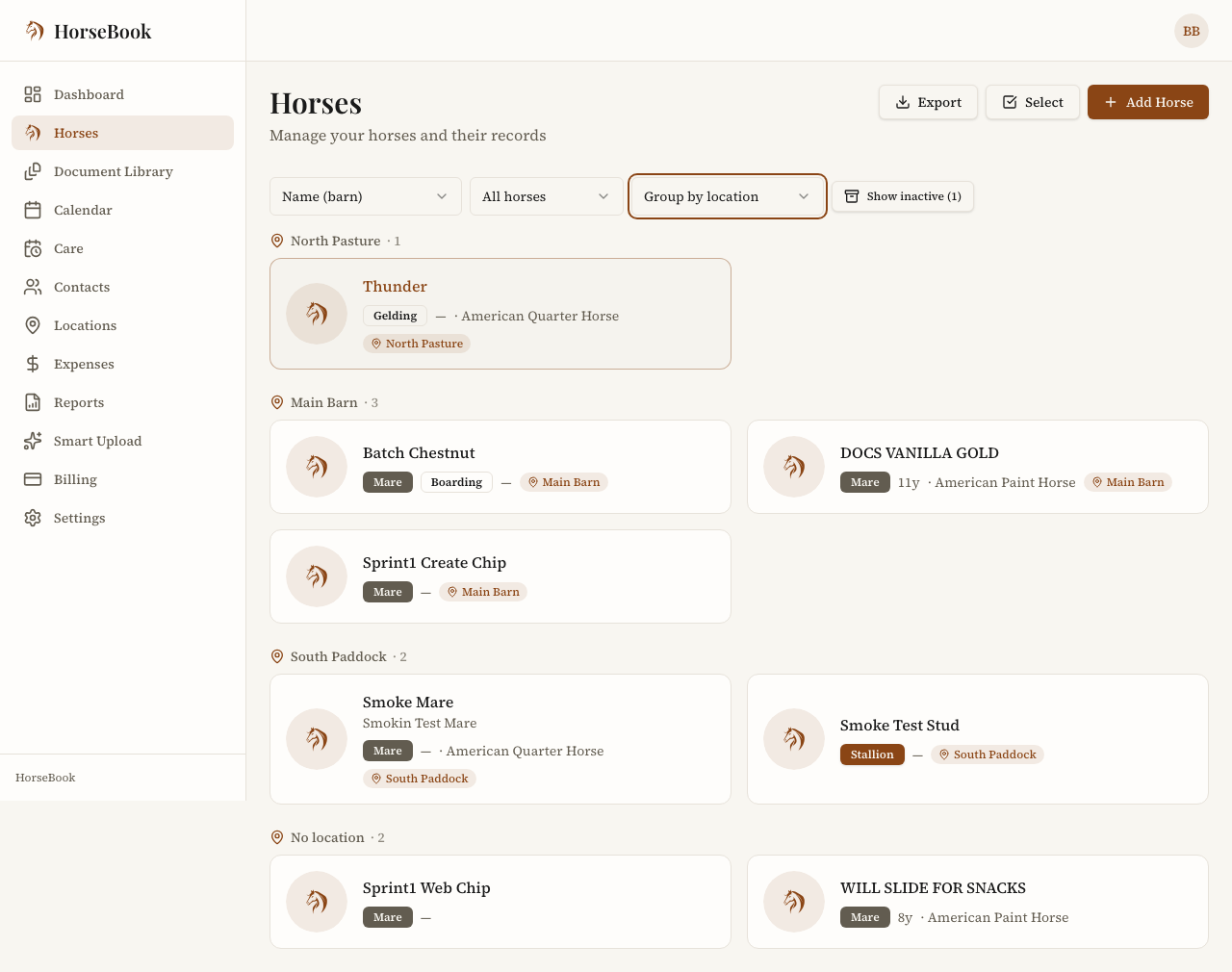
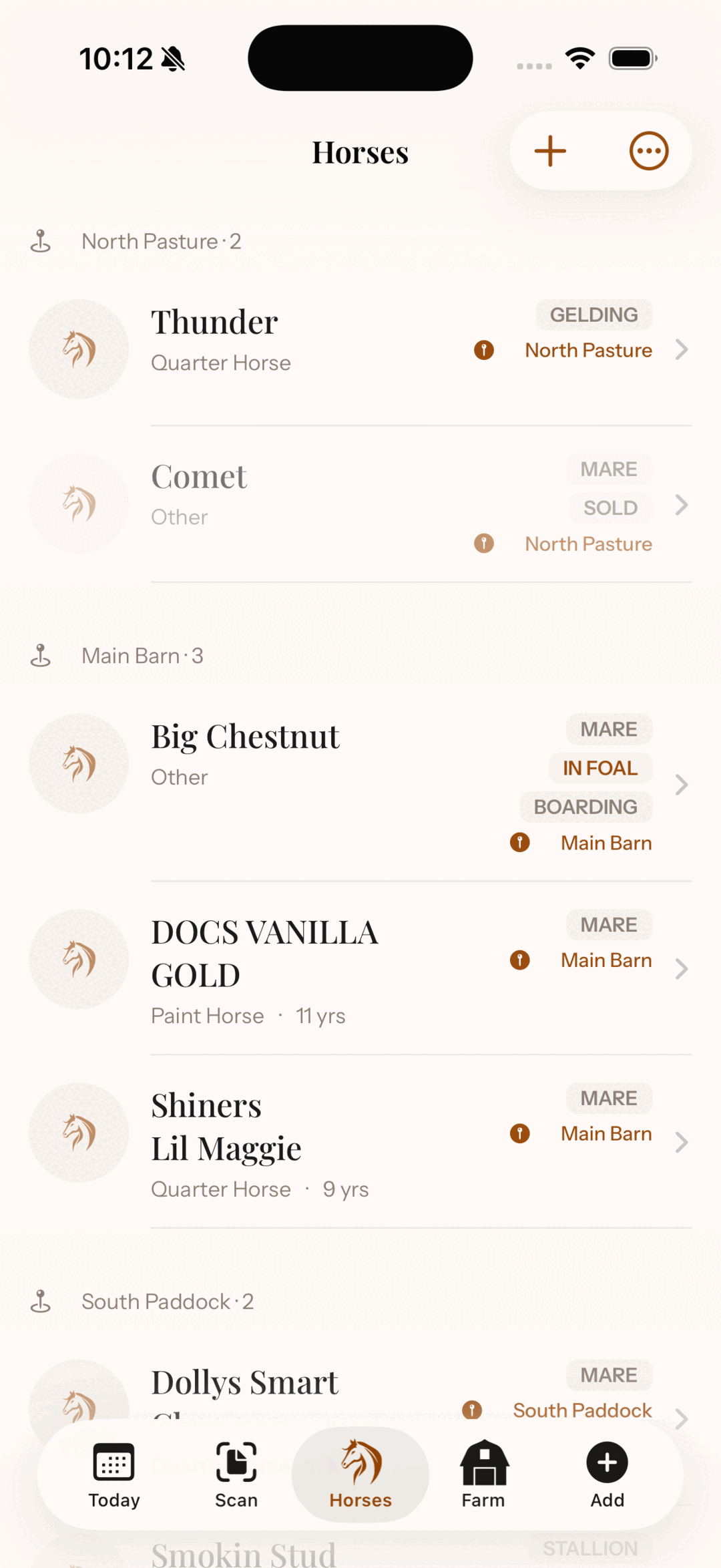
If you keep horses in more than one spot — pastures, paddocks, a boarding barn down the road — you can now name those places and put horses in them. Then the horse list can filter to one location or group itself by location, so you can see at a glance who's where.
How to set it up:
- Open Locations in the sidebar and hit Add Location. Name it the way you'd say it out loud — "North Pasture," "Miller's barn," "the front paddock."
- Go to a horse, edit it, and pick that spot in the Location field.
- Back on the Horses page, use the location filter to show just one place — or pick Group by location to break the whole list into sections with a headcount on each.
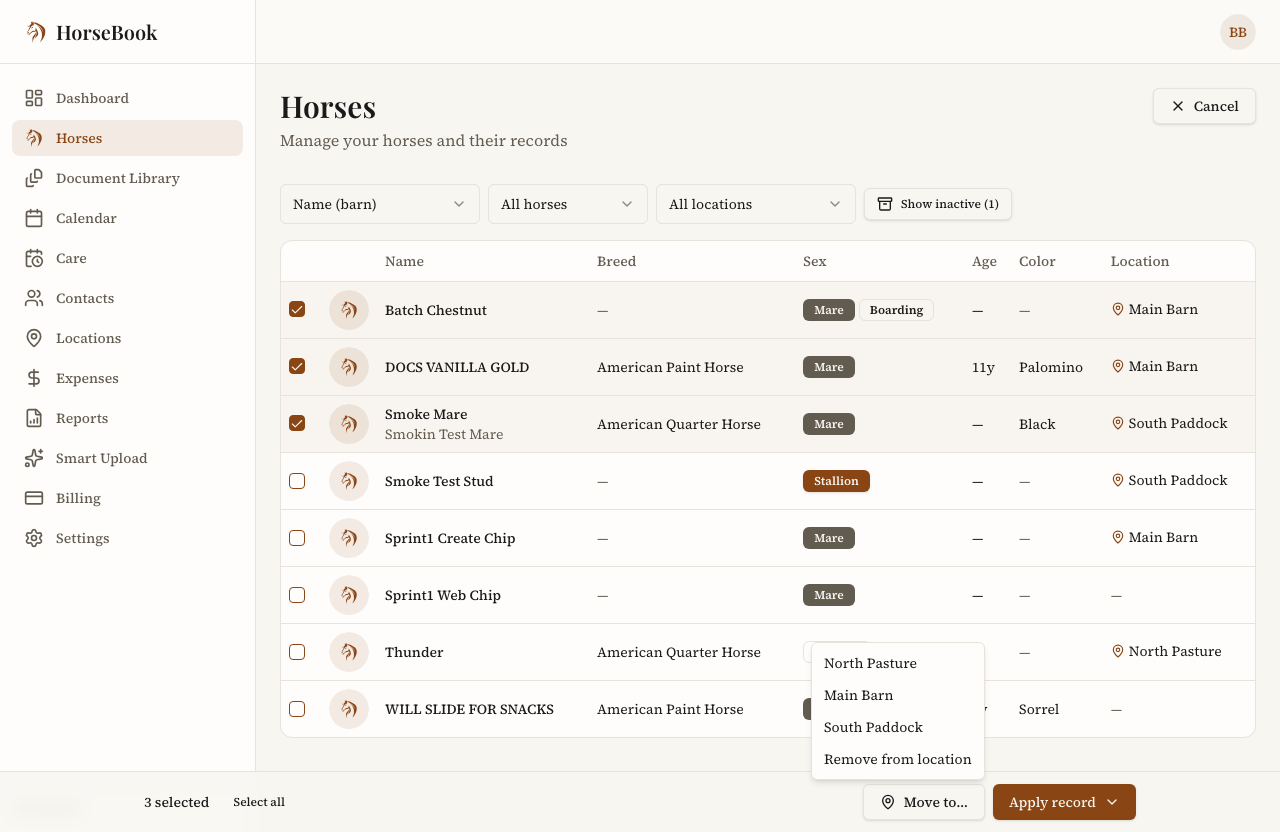
- Moving a bunch of horses at once? Tap Select, check the ones that moved, and hit Move to… to drop them all in a new location in one go.
That last one is the part my wife actually asked for by name. When the herd rotates pastures, she wanted to move eight horses without opening eight profiles.
Outside horses (the ones you don't own)
Plenty of folks keep records on horses that aren't theirs — a boarder's horse, one you're caring for while somebody's deployed, a client's mare in for breeding. Before this, HorseBook quietly assumed every horse was yours. Now you can say otherwise.
How to use it:
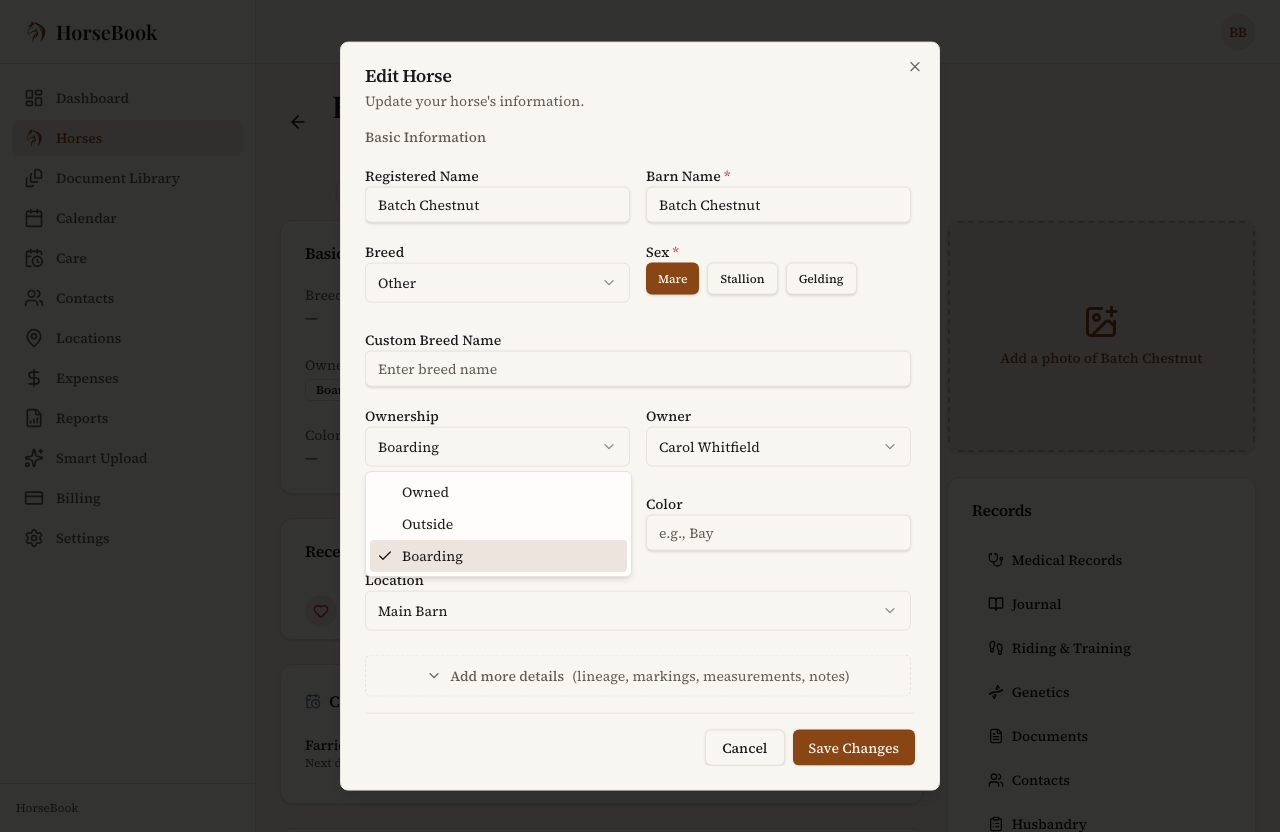
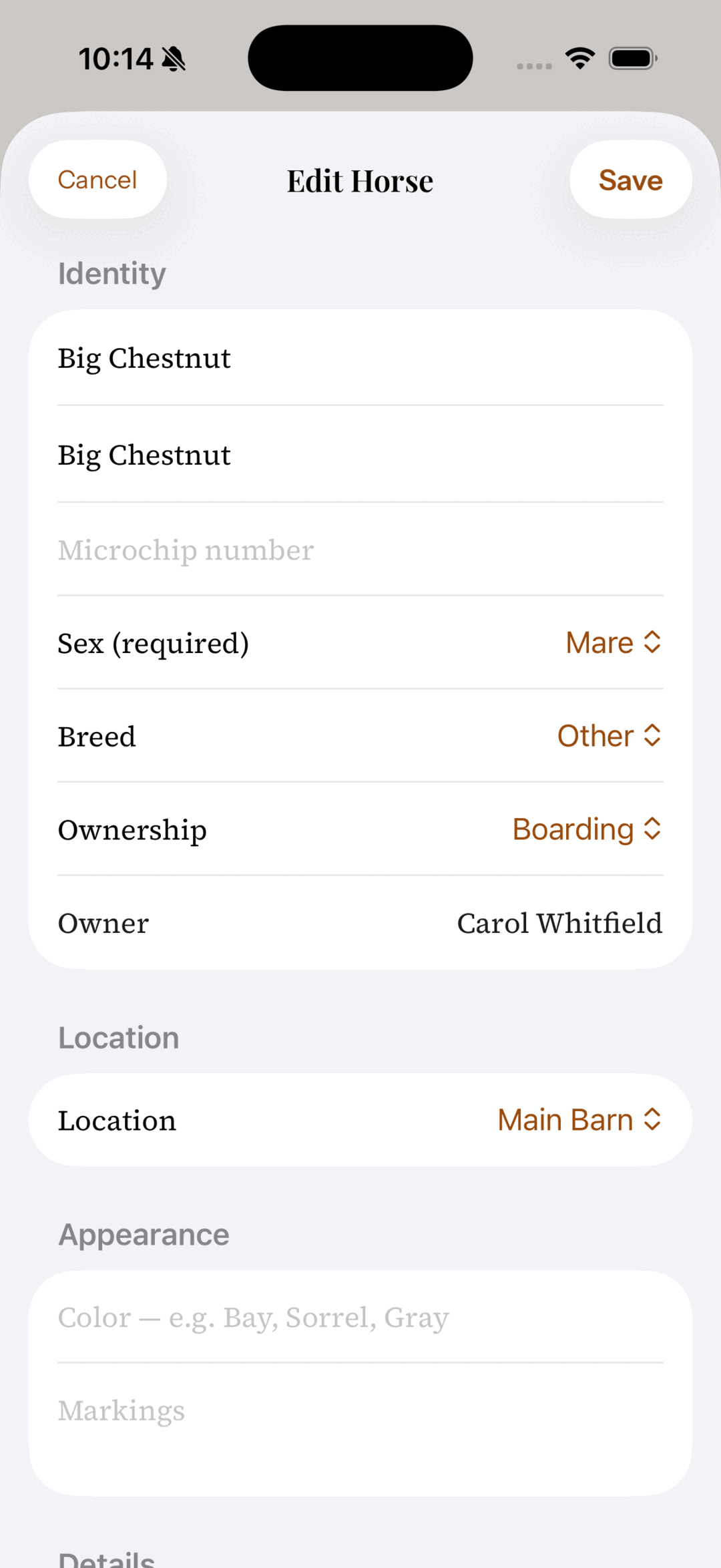
- On a horse's profile, edit it and set the Ownership field: Owned, Outside, or Boarding.
- Once it's not an owned horse, an Owner field appears — link it to a contact so the actual owner's info rides along with the horse. (Add them under Contacts first if they aren't in there yet.)
- On the Horses page, a new ownership filter lets you pull up just the owned ones, or just the boarding string, when you need to.
It's a small change that makes the horse list finally tell the truth about a mixed barn.
Archive a horse when it sells or leaves
When a horse sells or goes out on lease, you don't want it cluttering your daily list — but you sure don't want to delete it and lose the papers, the Coggins history, the vet records you might get asked about later. Archiving is the middle path.
How to use it:
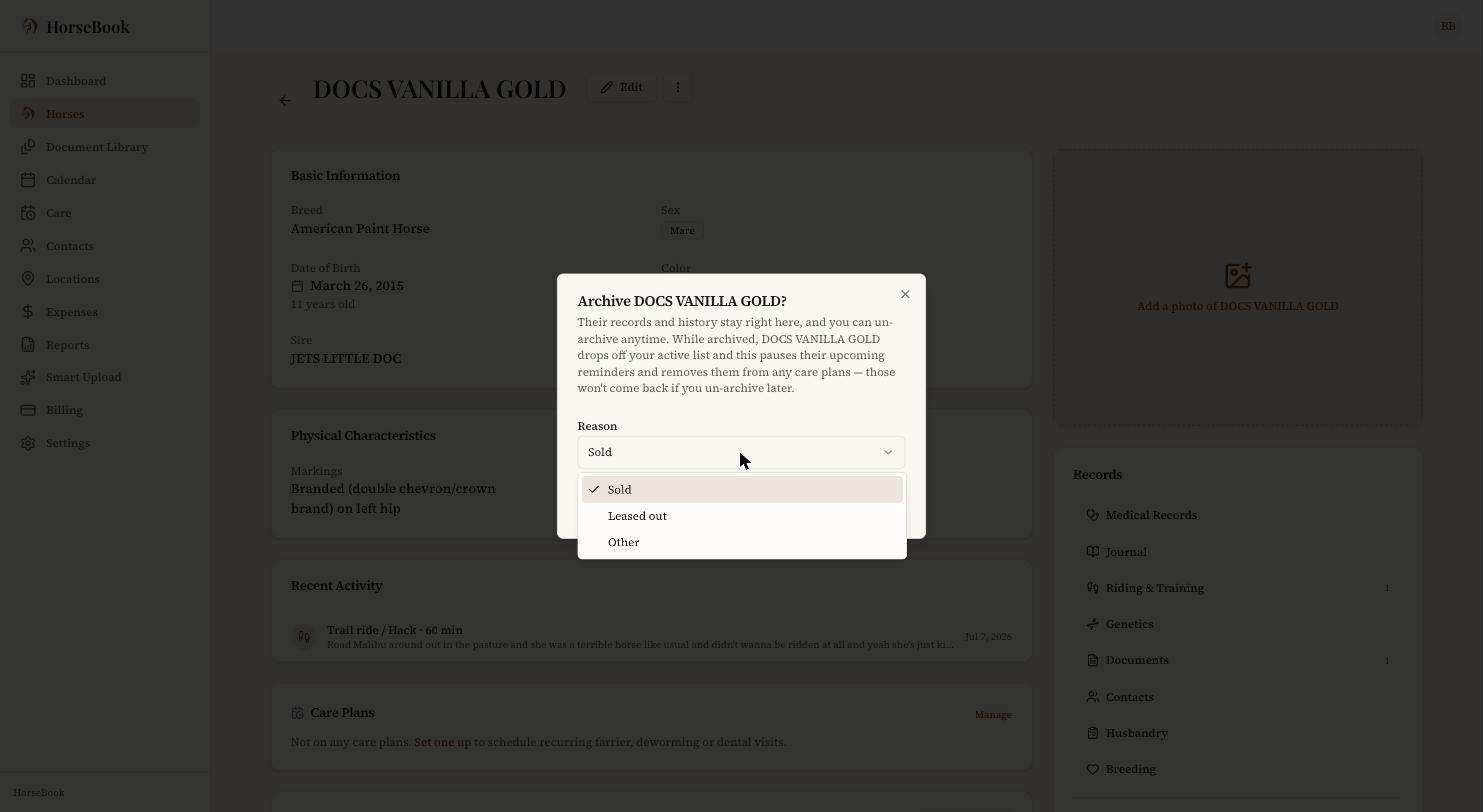
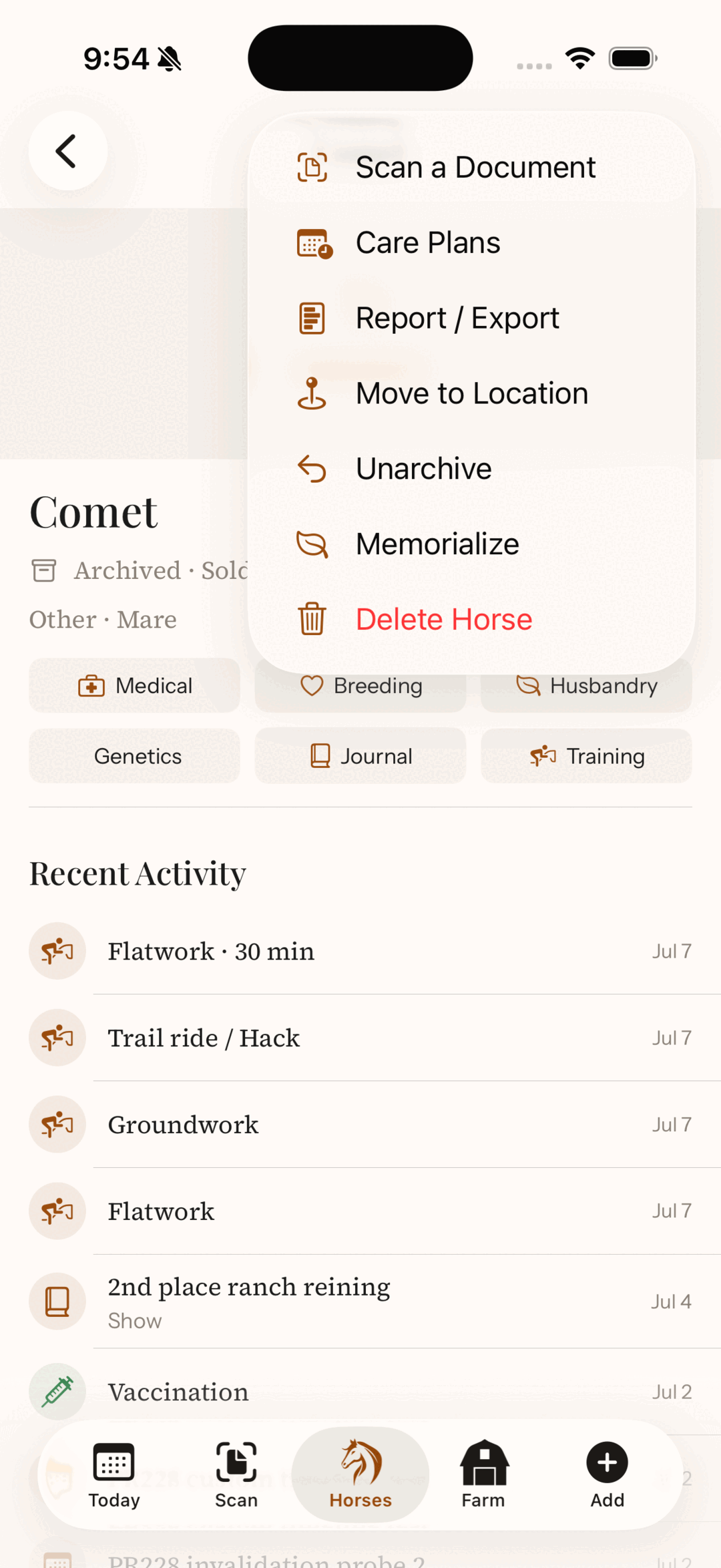
- Open the horse, tap the ··· menu, and choose Archive.
- Pick a reason — Sold, Leased out, or Other — and confirm.
- The horse drops off your active list, and its records stay right where they are. If it ever comes back, open it from the inactive list and hit Unarchive.
One honest heads-up the dialog gives you too: while a horse is archived, its upcoming reminders pause and it comes off any care plans — and those don't automatically come back when you un-archive. Everything you recorded is preserved; the future scheduling is what resets.
If you're on the selling side of this, the paperwork that should follow the horse out the door is its own subject — I wrote a full buying-or-selling document checklist that pairs well with the sale packet below.
Your list now shows the active herd by default
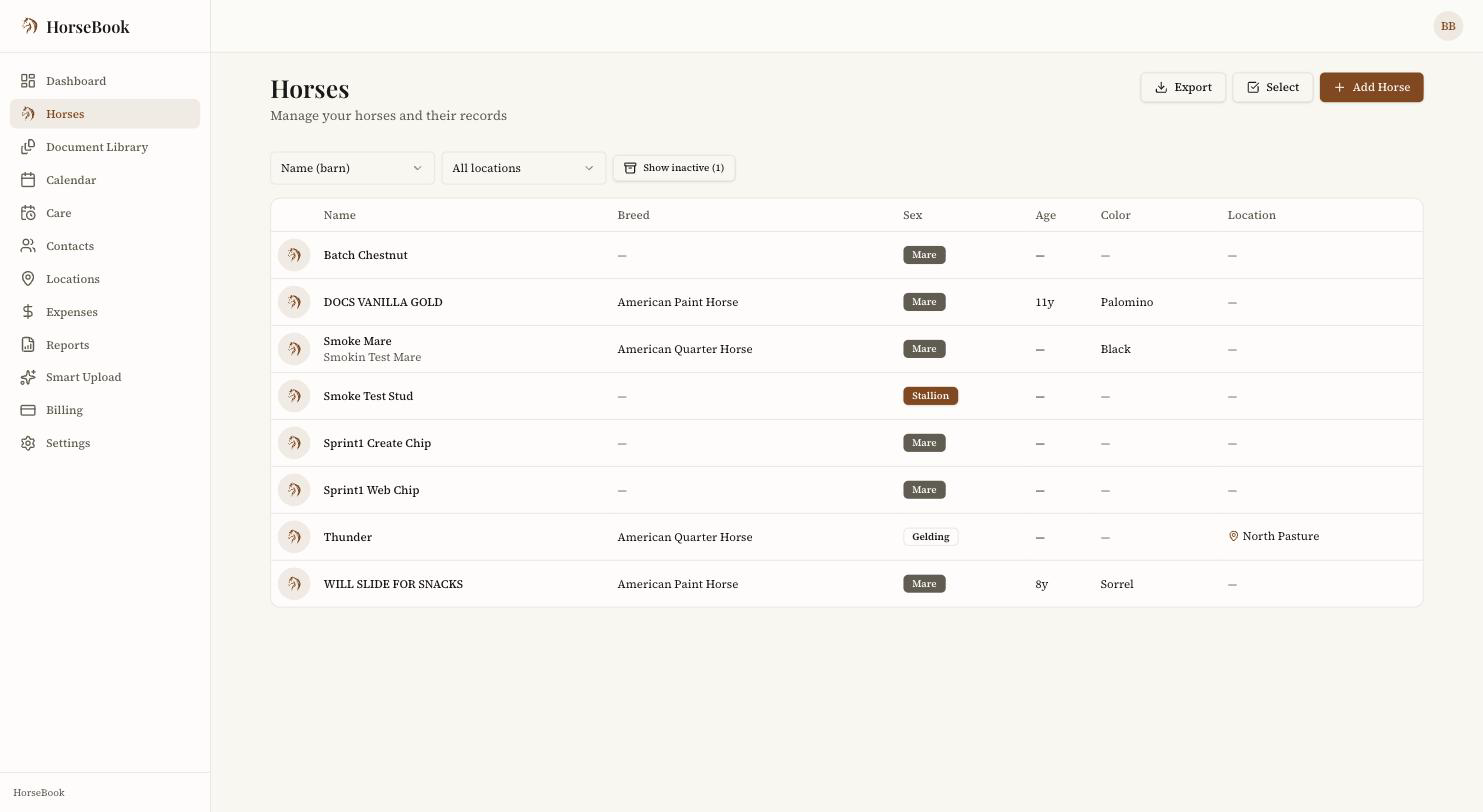
This one you'll notice without doing anything. The Horses page now defaults to your active herd — living horses you haven't archived. Archived horses (sold, leased out) and horses you've memorialized are tucked behind a Show inactive toggle that tells you how many are back there.
Nothing's gone. It's the same records, just sorted into "the horses I'm managing today" and "the horses I'm keeping records on." Tap Show inactive any time you need the full history, and tap it again to get back to the working list. Both the web app and the iOS app default the same way now, so your list looks the same wherever you open it.
Herd reports and sale packets (PDF export)
The last piece is getting records out of HorseBook and onto paper — for a vet, a buyer, a barn manager, your own files at tax time.
There are two flavors:
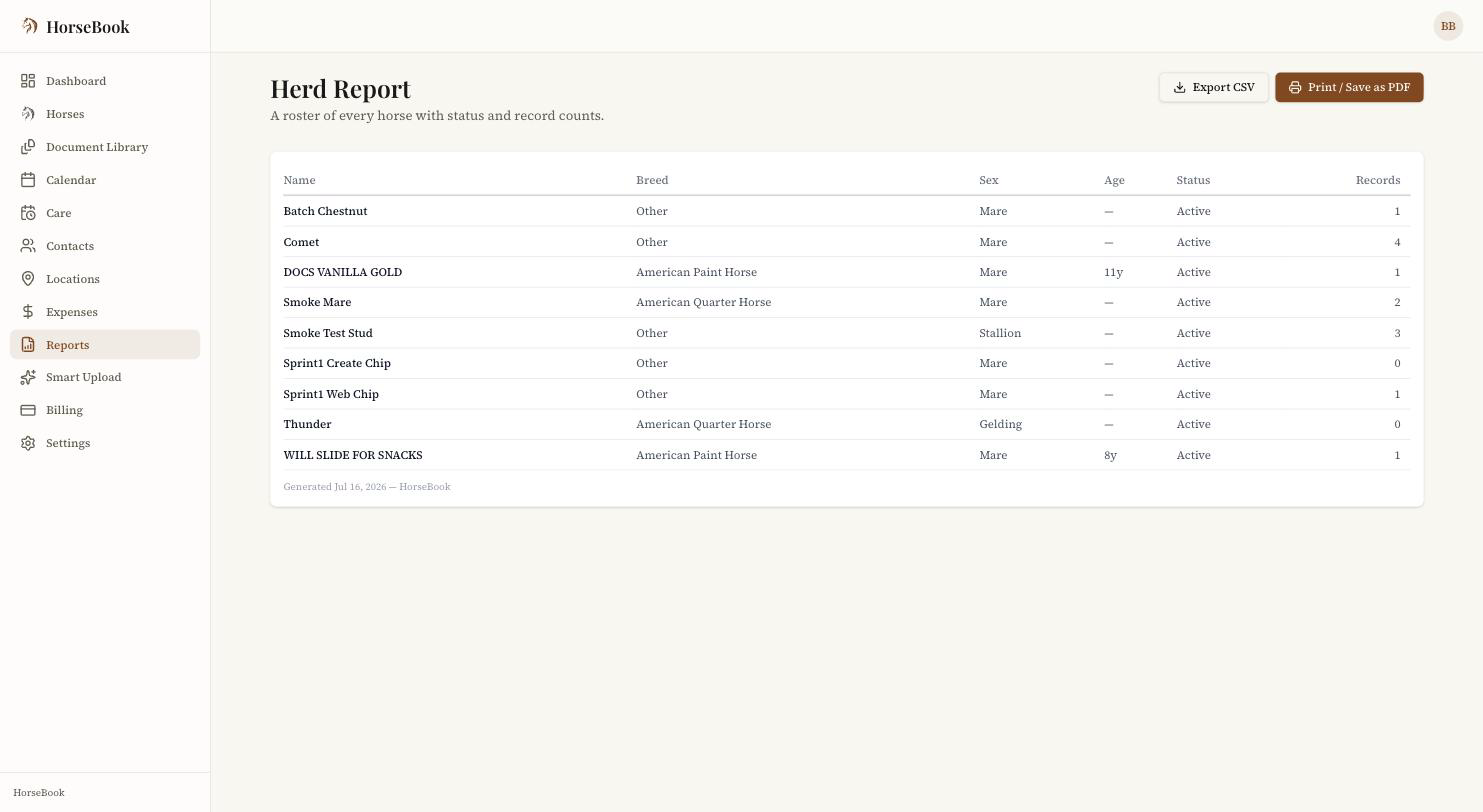
A herd roster. Open Reports in the sidebar for a one-page table of every horse — name, breed, sex, age, status, and how many records each one has. Hit Export CSV to pull it into a spreadsheet, or Print / Save as PDF for a clean printout.
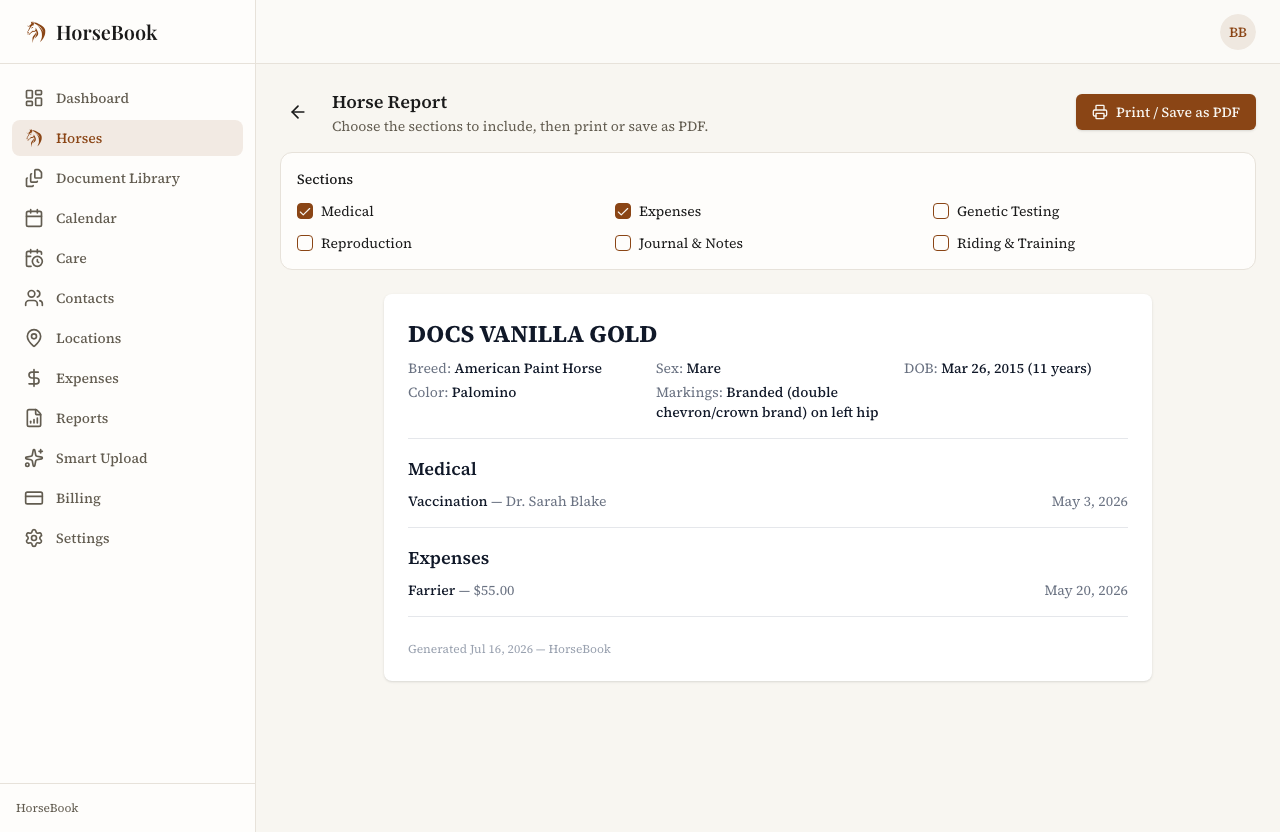
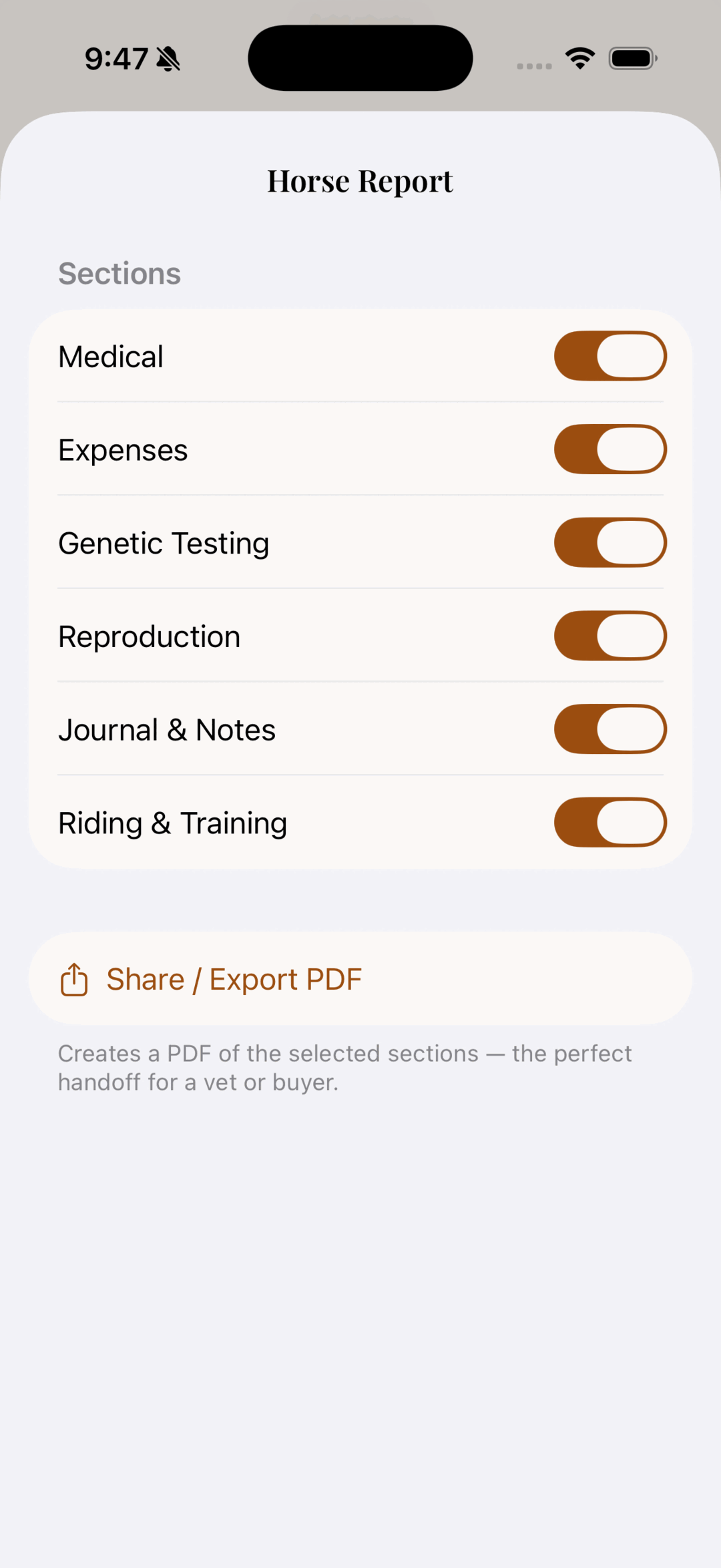
A single-horse packet. Open a horse, go to the ··· menu, and choose Report / Export. You pick which sections to include — medical, expenses, genetic testing, reproduction, journal, riding and training — and then Print / Save as PDF. It comes out with the horse's photo and details up top and the sections you chose underneath. That's your sale packet, or the printout you hand a vet at an appointment.
How to make one:
- Open the horse and choose Report / Export from the ··· menu.
- Check the sections you want in it (leave out expenses for a buyer, say).
- Hit Print / Save as PDF and save or print.
If keeping records specifically so you can hand them over cleanly is your thing, the best-way-to-keep-track-of-horse-records piece goes deeper on why one organized profile beats a folder of loose paper.
A note on plans
Locations, outside-horse tracking, archiving, and the report exports are all part of the Pro plan. They're the tools that start mattering once you're running more than a couple of horses at one place, which is roughly where Pro earns its keep. If you're on Hobby you'll still see everything — you'll just get a nudge to upgrade when you go to use one of them. There's a 14-day free trial with no credit card if you want to try the whole thing first, and a fuller map of the horse-record app landscape if you're still deciding whether HorseBook is the right fit at all.
What's next, and thanks
I read every message that comes in, and this release is mostly a list of things people told me they needed. The next stretch of work leans toward the breeding and stallion side of the app — folks running studs have been patient, and there's more coming there. I'll keep it vague until it's real, because the rule here is that I only tell you about things the app actually does today.
If there's something missing for how you keep your horses, tell me. A lot of it ends up in the app.
You can download HorseBook on the App Store or sign up for the web app — locations, outside horses, archiving, and the herd reports are all in there waiting.