HorseBook on Android: No App Store, Because the Web App Is the App
There's no HorseBook app in the Play Store, and that's on purpose. This week the web app got good enough on a phone to be the real thing: add it to your Android home screen, turn on morning reminders, and keep every horse record in your pocket. Here's how to set it up.
By Brian Bickell, who builds HorseBook from a ranch in Oklahoma — usually from whatever the folks using it tell me is missing.
Every week or so somebody on an Android phone asks me the same thing: "Where's the app? I looked in the Play Store and couldn't find it." Fair question. The honest answer is that there isn't one, and there isn't going to be — but that's not the brush-off it sounds like. This week the web app got good enough on a phone that, on Android, the web app is the app. You add it to your home screen, it opens like any other app, and you're off. Let me tell you why I went that way, what changed, and exactly how to set it up.
Why there's no Play Store app
Two reasons, and I'll give you the smaller one first because it's the one people assume is the whole story.
The smaller reason is money and rules. Listing an app in the Play Store means handing Google a cut of every subscription and living under their review-and-removal process. For a one-person shop, that's a tax and a risk I'd rather not carry when I don't have to — and it'd eventually show up in your price.
The bigger reason is focus, and it's really this: a phone browser can now do the job. There's a native HorseBook for iPhone because Apple's phone genuinely does some things a browser can't — camera-native document scanning is the big one. But building and maintaining a second native app for Android would split my attention three ways instead of two, for a job the mobile web already handles well. So instead of a half-kept Android app, you get the full web app, tuned to run on a phone and installable to your home screen. Same records, same login, nothing second-class about it.
If you want the polished native-app experience, that's the iPhone app. On Android, the web app is the app — and here's how to set it up.
What changed this week
The web app has always technically worked on a phone. What shipped this week is the difference between "works if you pinch and squint" and "actually built for your thumb."
- It fits the phone now. The pages that used to run their buttons off the edge of a phone screen were fixed — the "Add Horse" button and the rest sit where you can reach them, and the horse list, records, and reports all reflow to the width you've actually got.
- Forms open as bottom sheets. Tap to add a record and the form slides up from the bottom of the screen, the way phone apps do it, instead of a desktop dialog stranded in the middle with its fields cut off.
- The camera is one tap away. On a photo or document field, you get a "Take photo" option that opens your phone's camera directly — snap the Coggins, the registration paper, the bag of feed, and it's attached.
- You can install it to your home screen (the next section).
- Your morning reminders can come to the phone as a notification, not just an email (the section after that).
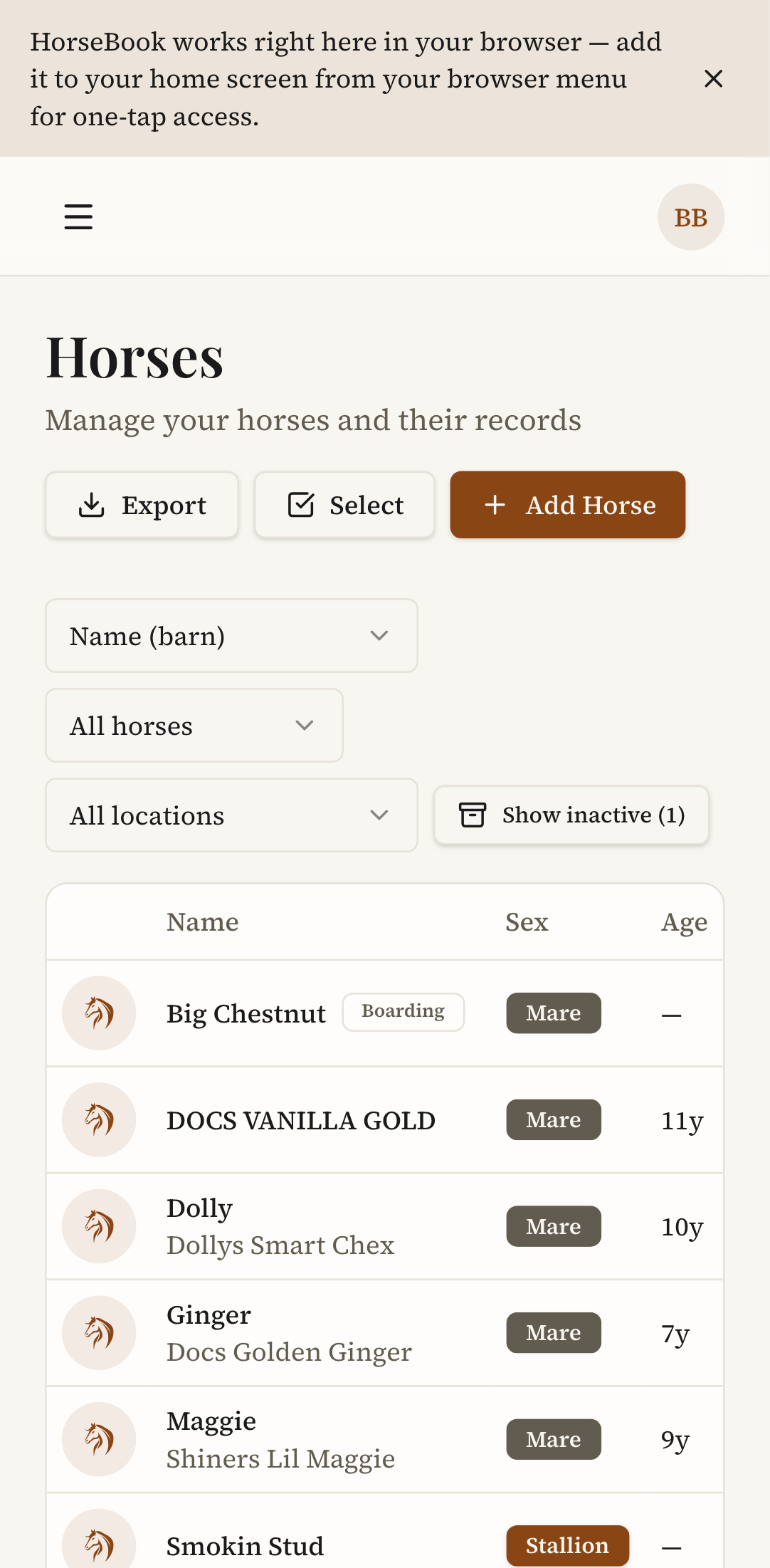
Open a horse and the profile stacks itself into a single readable column — details, status, records — no sideways scrolling.
How to add HorseBook to your home screen
This is the part that turns a browser tab into an app icon. On Chrome for Android:
- Open horsebook.app and sign in.
- Tap the ⋮ menu (three dots, top right of Chrome).
- Choose Add to Home screen (on some phones it reads Install app), then confirm.
- You'll get a HorseBook icon on your home screen. Tapping it opens the app in its own window — no browser bars, no tabs, just HorseBook.
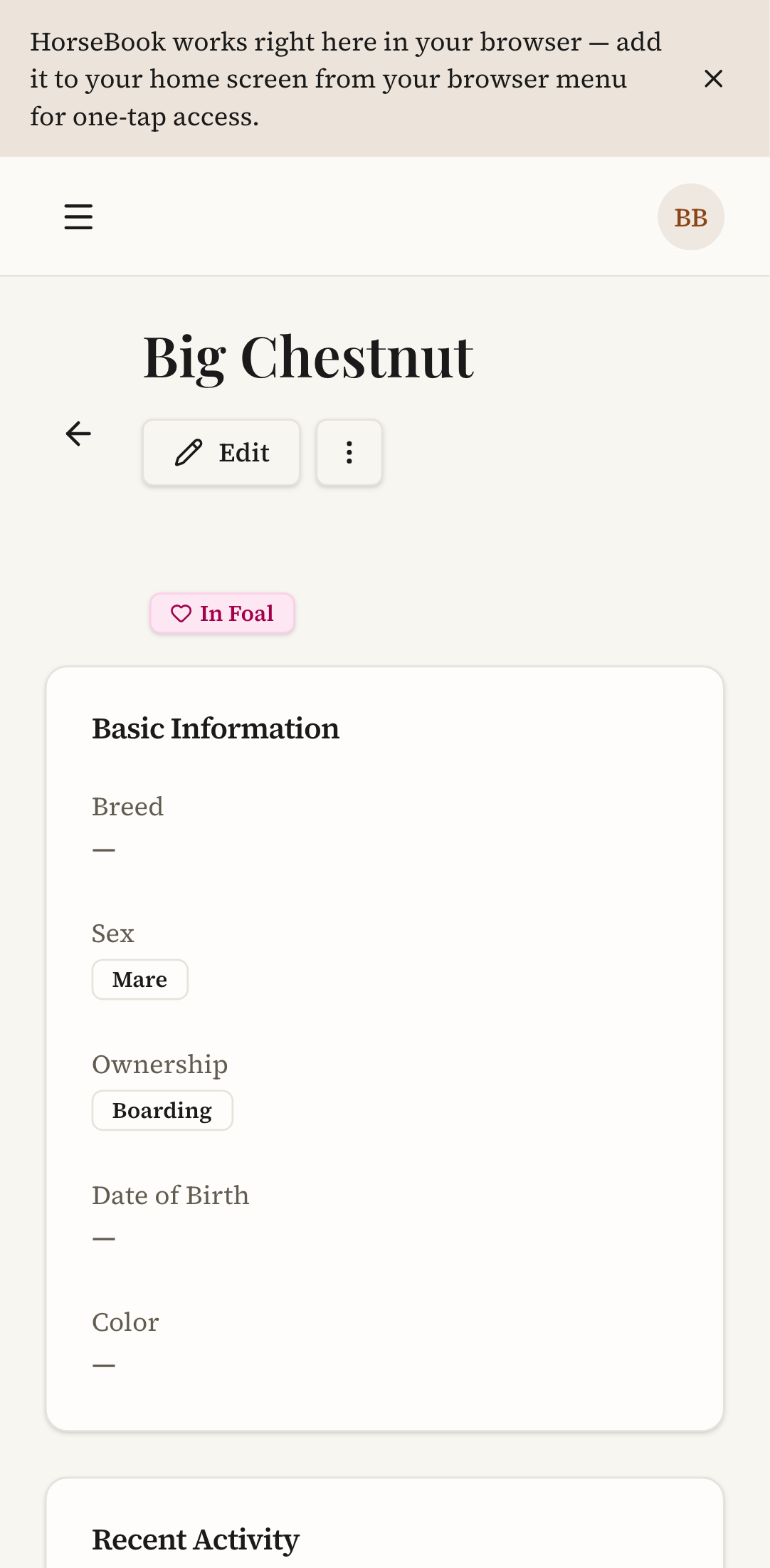
You may also see a small ribbon inside the app offering to do this for you — if it's there, tapping its button runs the same install. Either way you end up in the same place: an icon that opens straight to your horses.
One honest note: I can't show you Chrome's own install pop-up in a screenshot here, because that window belongs to the browser, not to HorseBook. But it's a single "Install" tap when it appears, and the menu route above always works if it doesn't.
How to turn on morning reminders
HorseBook already sends a morning digest — one email on the days something's actually due (a vaccine, a Coggins, a foaling window, a farrier visit), and nothing at all on the quiet days. This week that same heads-up can land on your phone as a browser notification instead of, or alongside, the email. Here's where to switch it on:
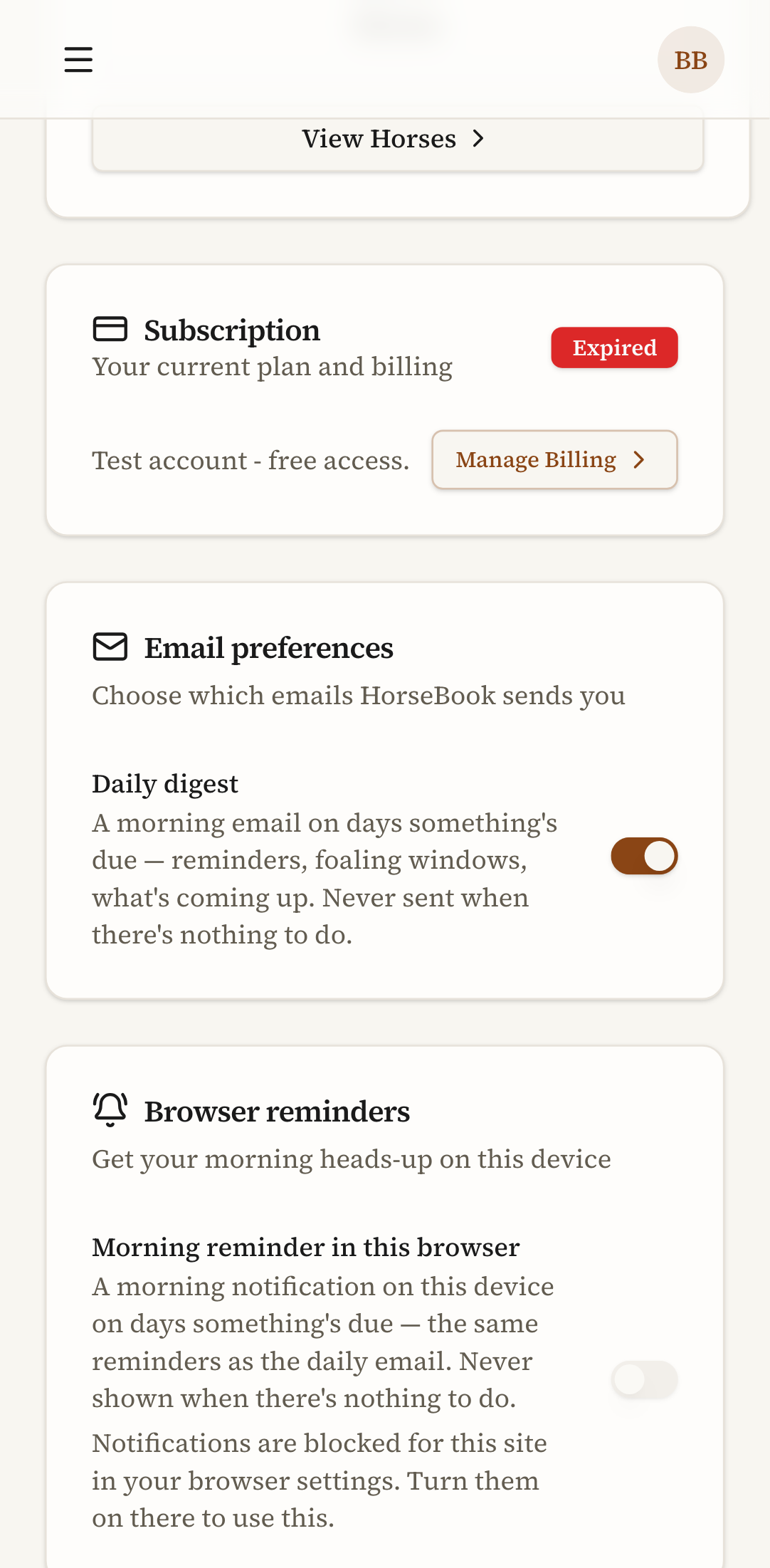
- In the app, tap your initials (top right) and go to Account.
- Scroll to the Browser reminders card, under Email preferences.
- Flip Morning reminder in this browser on. Your phone will ask permission to send notifications — tap Allow.
That's it. From then on, on any morning something's due, you get a "Today at the barn" notification on that device. It's the exact same reminders as the daily email — never a buzz when there's nothing to do, and never a per-event nag. If you don't see the card at all, your browser doesn't support web notifications; if the toggle won't move, notifications are blocked for the site in your phone's settings and you'll need to turn them back on there.
Reminders are the whole point of keeping records you'll actually be asked about later — I wrote a longer piece on how HorseBook decides what's due and when to tell you if you want to see the thinking behind it.
What works without a signal — and what doesn't
Let me be straight about offline, because it's the thing that's easy to oversell.
Installing HorseBook to your home screen does not put all your horse records on the phone for reading in a dead zone. HorseBook is a live app — your records live in your account, and it needs a connection to load them, same as any web app. If you lose signal mid-page, you'll get a clean, branded "You're offline" screen with a Try again button, instead of the browser's ugly dinosaur — and anything already loaded on the screen stays put. But it's a graceful fallback, not full offline access. If you're headed somewhere with no bars and you know you'll need a specific horse's papers, load that page while you've still got signal, or export the sale packet or herd report to PDF ahead of time and keep it on your phone.
The short version
On Android, you're not missing out by not having a Play Store app — you're skipping the store and getting the whole thing:
- Open horsebook.app in Chrome and sign in.
- ⋮ menu → Add to Home screen for a one-tap app icon.
- Account → Browser reminders → Morning reminder in this browser to get your due-list on the phone.
Same records as the web, same login, same reminders — right in your pocket. If you're still weighing whether HorseBook's the right fit at all, here's an honest map of the horse-record app landscape. And if something's still awkward for how you use it on a phone, tell me — that's how most of this got built.